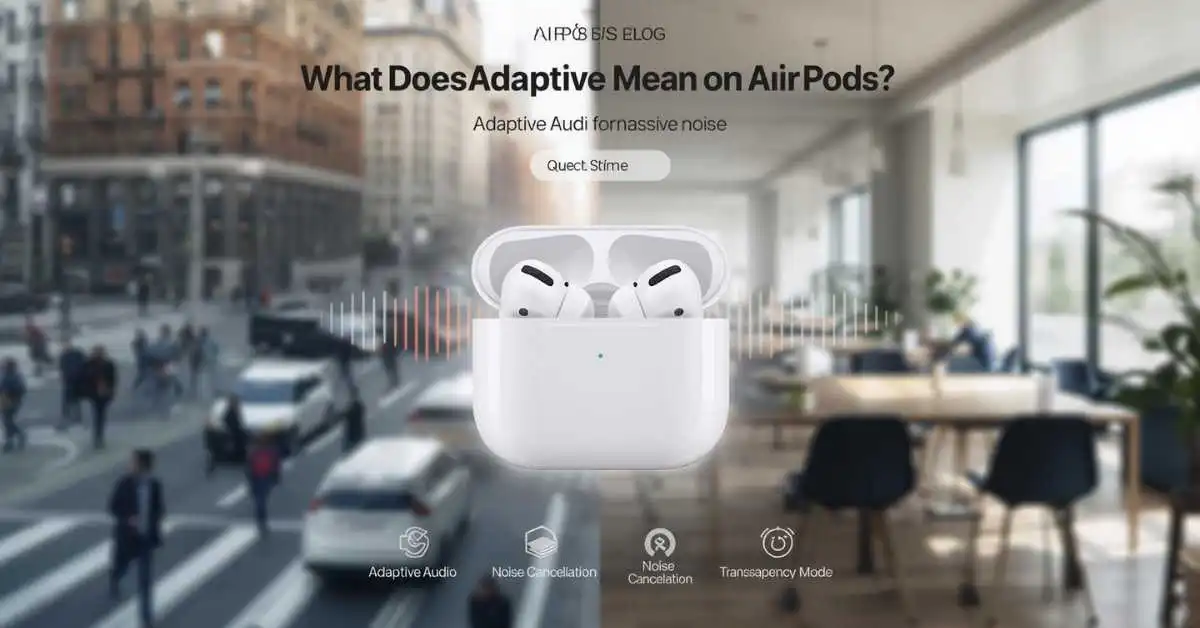
Adaptive on AirPods usually means Adaptive Audio, a listening mode that automatically blends Active Noise Cancellation and Transparency mode based on your surroundings. It helps you hear what matters while reducing unwanted noise, so you do not have to switch modes manually every time your environment changes.
If you saw the word Adaptive in your AirPods settings, you are probably trying to figure out one simple thing: what does it actually do? The short answer is that Apple uses Adaptive Audio to make supported AirPods react to changing noise around you.
Instead of forcing you to stay in full Noise Cancellation or full Transparency mode, Adaptive adjusts the amount of outside sound you hear as your environment changes.
On current Apple support pages, this feature is available on AirPods 4 with Active Noise Cancellation (ANC), AirPods Pro 2, and AirPods Pro 3, when paired with compatible Apple devices and current software.
What “Adaptive” means on AirPods in simple words
When people search what is adaptive on AirPods or what does adaptive mean on AirPods, they usually want a plain-English definition. On supported AirPods, Adaptive refers to Adaptive Audio. Apple describes it as a mode that combines Active Noise Cancellation and Transparency mode into one smart listening mode that adjusts to changing noise conditions around you.
That means your AirPods try to block more noise when the world around you gets louder, and let in more outside sound when awareness is useful.
In daily life, that can make listening feel more natural when you move between a quiet room, a busy street, a café, an office, or a quick conversation.
Adaptive Audio is not the same as Adaptive EQ
This is one of the biggest confusion points, and your article needs to solve it fast.
Adaptive Audio is a noise control feature. It changes how much outside sound you hear by balancing Transparency mode and Active Noise Cancellation.
Adaptive EQ is a sound tuning feature. It adjusts audio output based on your ear fit, so music and other audio sound better. Apple lists Adaptive EQ separately in AirPods technical specifications, including AirPods 4 and AirPods Pro models.
So if you are asking adaptive audio meaning airpods or adaptive setting on airpods, the answer is usually about Adaptive Audio, not Adaptive EQ.
How Adaptive Audio works on AirPods
Adaptive Audio works by blending two well-known Apple listening modes:
- Active Noise Cancellation, which blocks external sound
- Transparency mode, which lets outside sound in more naturally
Instead of keeping one mode fixed, Adaptive changes the noise control level automatically. Apple also lets users customize Adaptive Audio by moving a slider to allow more or less ambient noise into their AirPods when Adaptive mode is on.
That is important because it means Adaptive is not a one-size-fits-all mode. You can make it feel more open or more isolating based on your preference.
Apple also connects Adaptive Audio with other smart AirPods features such as Conversation Awareness and Personalized Volume. These are separate features, but they often work together in real life.
Conversation Awareness lowers media and helps you hear voices more clearly when you start speaking. Personalized Volume learns your listening preferences over time and adjusts volume based on your environment.
Which AirPods support Adaptive Audio?
This is one of the most important ranking sections because many users search the keyword after not seeing the option on their own AirPods.
Apple’s current support documentation and compare pages show that Adaptive Audio is supported on AirPods 4 with Active Noise Cancellation, AirPods Pro 2, and AirPods Pro 3. Apple’s compare page also indicates that standard AirPods 4, AirPods 3, and older models do not get Adaptive Audio.
Supported models table
| AirPods model | Adaptive Audio support | Notes |
|---|---|---|
| AirPods 4 | No | Standard model does not include Adaptive Audio |
| AirPods 4 (ANC) | Yes | Supports Adaptive Audio, Transparency, and Conversation Awareness |
| AirPods Pro 2 | Yes | Supported on compatible devices with current firmware |
| AirPods Pro 3 | Yes | Supported on compatible devices with current firmware |
| AirPods 3 | No | Does not support Adaptive Audio |
| AirPods Max | No Adaptive Audio listed | Supports listening modes, but Apple does not list Adaptive Audio support for AirPods Max |
This support matrix is based on Apple’s current support and model comparison pages.
Adaptive vs Noise Cancellation vs Transparency
A strong comparison section helps the page rank for several related searches at once, including airpods adaptive vs transparency and airpods adaptive vs noise cancellation.
| Feature | What it does | Best for | Main downside |
|---|---|---|---|
| Adaptive Audio | Automatically balances Noise Cancellation and Transparency | Everyday use, commuting, changing environments | Not the strongest isolation at all times |
| Active Noise Cancellation | Blocks as much outside noise as possible | Flights, trains, focus work, loud spaces | Less awareness of surroundings |
| Transparency mode | Lets you hear the world around you | Walking, short chats, announcements | Less isolation in noisy places |
| Adaptive EQ | Tunes audio to your ear fit | Better sound quality | Not a noise control mode |
| Personalized Volume | Learns and adjusts your preferred listening volume | Daily listening | Separate from noise control |
| Conversation Awareness | Lowers audio when you speak and boosts nearby voices | Quick conversations | Can be annoying if triggered too often |
Apple documents these listening modes and related features separately, which is why many users confuse them.
When Adaptive mode is the best choice
Adaptive Audio is best when your surroundings change often. That includes walking through traffic, moving through an office, shopping in busy stores, working in a café, or listening at home while still wanting some awareness of people or sounds around you.
Since it blends Transparency mode and Active Noise Cancellation in real time, it is designed for mixed environments rather than one fixed setting all day.
In practice, Adaptive is the mode many people will prefer for normal daily use because it removes the need to keep switching settings.
By contrast, Noise Cancellation is better when you want stronger isolation, and Transparency is better when hearing the world around you matters most. That comparison is an inference based on how Apple defines each mode.
When Adaptive is not the best choice
Adaptive is not always the right answer. If you are on a plane, on a noisy train, in a loud gym, or trying to focus deeply in a busy office, full Active Noise Cancellation is usually the better choice.
Because Adaptive is designed to balance awareness and noise reduction, not maximize isolation at all times. Apple’s support guidance also makes clear that Adaptive Audio is a separate listening mode from full Noise Cancellation.
So if you are searching should adaptive be on or off airpods, the best answer is this:
Use Adaptive on for daily movement and mixed environments. Use Noise Cancellation when you want the strongest block against outside noise.
How to turn Adaptive on or off
Apple says you can turn Adaptive on from Control Center on iPhone or iPad. While wearing your AirPods, press and hold the volume control in Control Center, tap Listening Mode, then choose Adaptive. On a Mac, you can use Control Center or Bluetooth settings. You can also ask Siri to turn Adaptive on.
You can also set the press-and-hold action on supported AirPods so the stem switches between Active Noise Cancellation, Transparency, Adaptive Audio, and Off. Apple lists this behavior in AirPods settings support pages and the AirPods User Guide.
Why the Adaptive option may be missing on your AirPods
This section is critical because many users search the keyword only after they cannot find Adaptive on their device.
1. You may have an unsupported AirPods model
If you use AirPods 3, older AirPods, or the regular AirPods 4 without ANC, you may not see Adaptive Audio at all. Apple’s current compare pages list Adaptive Audio only for AirPods 4 with ANC, AirPods Pro 2, and AirPods Pro 3.
2. Your software may be out of date
Apple’s technical notes say these newer listening features require compatible devices running iOS 18, iPadOS 18, or macOS Sequoia and later, plus the latest AirPods firmware.
3. You may be confusing Adaptive Audio with Adaptive EQ
This happens often. Adaptive EQ can exist even when Adaptive Audio does not. If you are looking at specs or settings and mixing the two up, it can feel like the feature is missing when you are really checking the wrong one.
4. Your AirPods may need cleaning
Apple says earwax or debris can affect noise control features such as Active Noise Cancellation, Adaptive Audio, and Transparency. If the feature feels weak or inconsistent, cleaning the earbuds may help restore performance.
Best tips for using Adaptive Audio well
Start with Adaptive if you want one mode for most of the day. It is especially useful on an iPhone, iPad, or Mac when you move between quiet and noisy places and do not want to keep opening Bluetooth or Control Center settings.
If Adaptive feels too open, adjust the slider so less outside sound comes in. If it feels too closed off, allow more ambient noise. That small setting can make the feature much more comfortable.
Learn the related features too. Conversation Awareness, Personalized Volume, Voice Isolation, Transparency mode, Adaptive EQ, and Personalized Spatial Audio are separate features, but together they shape how modern AirPods behave in real life. Apple lists these across its current AirPods specs and support guides, especially on AirPods 4 with ANC and AirPods Pro models.
FAQ
What is adaptive on AirPods?
Adaptive on AirPods usually means Adaptive Audio, a listening mode that automatically blends Transparency mode and Active Noise Cancellation as your environment changes.
Is Adaptive better than Noise Cancellation on AirPods?
Not always. Adaptive is better for changing environments and daily movement. Noise Cancellation is better when you want the strongest possible reduction of outside sound.
Is Adaptive the same as Adaptive EQ?
No. Adaptive Audio controls outside noise. Adaptive EQ tunes sound output to your ear fit. They are different AirPods features.
Which AirPods have Adaptive Audio?
Apple currently lists AirPods 4 with Active Noise Cancellation, AirPods Pro 2, and AirPods Pro 3 as supported models.
Why is Adaptive missing on my AirPods?
The most common reasons are an unsupported model, outdated software, old firmware, or confusion between Adaptive Audio and Adaptive EQ.
How do I turn Adaptive Audio on?
On iPhone or iPad, open Control Center, press and hold the volume control, tap Listening Mode, and choose Adaptive.
Does Adaptive block all outside sound?
No. Adaptive is meant to balance awareness and noise reduction. If you want maximum isolation, choose Active Noise Cancellation instead.
Can dirt or earwax affect Adaptive Audio?
Yes. Apple says debris or earwax buildup can affect Adaptive Audio, Transparency, and Active Noise Cancellation performance.
Final answer
So, what does adaptive mean on AirPods? It means Apple’s Adaptive Audio listening mode, which automatically blends Active Noise Cancellation and Transparency mode based on your surroundings.
It is designed for people who want smarter everyday listening, less manual switching, and a better balance between awareness and noise reduction. If you want one mode for daily use, Adaptive is usually the best place to start. If you want the strongest isolation, switch to full Noise Cancellation instead.
Click Here To Read More About: What Does Tralalelo Tralala Mean? Meme Explained

Hi, I’m Evan Lexor, the voice behind Meanvia.com. I break down English words, slang, and phrases into clear, simple meanings that actually make sense. From modern internet terms to everyday expressions, my goal is straightforward: help you understand English better, faster, and with confidence, one word at a time.