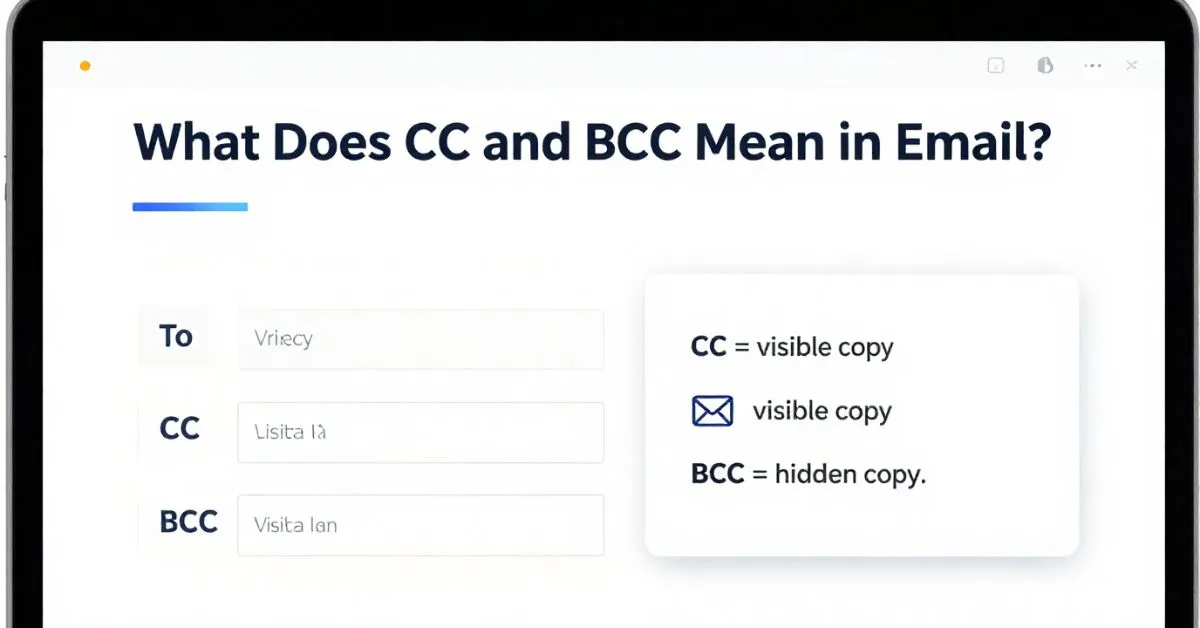
CC means carbon copy, and BCC means blind carbon copy. In email, CC sends a visible copy to extra recipients, while BCC sends a hidden copy that other recipients cannot see. Use CC when you want transparency and use BCC when you want privacy, especially in group emails.
Email looks simple, but the To, CC, and BCC fields can confuse a lot of people. Many users know these options are there in Gmail, Outlook, Apple Mail, and other email clients, but they are not always sure what they mean or when to use them.
That matters because the wrong choice can expose email addresses, create messy reply all chains, or make a professional email feel awkward.
Bcc meaning
BCC stands for Blind Carbon Copy in email communication. It lets you send a message to multiple people while keeping the full recipient list private. Anyone added in the BCC field receives the email, but their address stays hidden from every other recipient, including those in the To and CC fields. This protects privacy and prevents unwanted reply-all chains. BCC is especially useful when you want to inform someone quietly without revealing their involvement to the main group.
Example 1: A manager emails a client about a project update and adds the internal team in BCC so the client never sees the internal addresses.
Example 2: A newsletter sender puts all subscribers in BCC so no one can view or collect the complete email list.
[Context and how people use it]
People use BCC to maintain privacy when sharing information with large or mixed groups.
It is commonly chosen in professional and personal emails whenever the sender wants to hide additional recipients.
What does bcc mean in email
In email, BCC means Blind Carbon Copy. This feature allows you to include extra recipients who will receive the exact same message while remaining invisible to everyone else on the email. Unlike the regular To or CC fields, addresses placed in BCC do not appear in the recipient list that others see. The result is cleaner communication and stronger privacy protection. BCC is a simple yet powerful tool for discreet sharing.
Example 1: An event organizer sends invitations and places all guests in BCC so no attendee can see the full guest list.
Example 2: A teacher emails parents about a school matter and adds the principal in BCC without the parents knowing.
[Context and how people use it]
Users rely on BCC whenever they need to keep certain recipients hidden from the main audience.
It is frequently applied in both workplace and personal emails to avoid exposing contact details.
Bcc email meaning
BCC email meaning refers to Blind Carbon Copy, a standard email function that delivers a message to selected people without displaying their addresses to other recipients. The people listed in BCC receive the email normally, yet their presence stays completely private. This differs from CC, where every address is visible. BCC helps maintain confidentiality and reduces the risk of reply-all confusion or data exposure.
Example 1: A salesperson sends a proposal to a prospect and BCCs their manager for internal tracking without the prospect noticing.
Example 2: A friend shares party details with several people and uses BCC so no one can see the other invitees’ email addresses.
[Context and how people use it]
BCC is used when privacy of the recipient list matters more than open visibility.
People turn to it for mass emails, discreet updates, and situations where contact lists should stay protected.
Bcc meaning in email
BCC meaning in email is Blind Carbon Copy. It is the field that lets you add hidden recipients to any message. Those recipients get the email, but none of the other people who receive it can see the BCC addresses. This keeps communication discreet and protects personal or professional contact information. BCC has become an essential privacy tool in everyday email use.
Example 1: An HR officer sends an offer letter to a candidate and BCCs the hiring manager so the candidate does not see the internal copy.
Example 2: A community group leader emails members about an upcoming meeting and places everyone in BCC to safeguard the member list.
[Context and how people use it]
People use BCC to share information quietly while protecting the identities of additional recipients.
It appears often in professional correspondence and group announcements where privacy is preferred.
Bcc meaning email
BCC meaning email is Blind Carbon Copy. This option allows a sender to include extra people on an email without revealing those addresses to anyone else. The hidden recipients still receive the full message, yet their involvement remains invisible. BCC is the preferred choice whenever the sender wants privacy or needs to prevent others from seeing the complete distribution list.
Example 1: A consultant emails a client report and adds the project team in BCC so the client only sees the main recipient.
Example 2: A family member shares important news with relatives and uses BCC to keep individual email addresses private.
[Context and how people use it]
BCC is chosen when the sender wants the message delivered but does not want the full recipient list exposed.
It is widely used for confidential updates, newsletters, and any situation requiring discreet delivery.
What does bcc mean
BCC means Blind Carbon Copy. In simple terms, it is an email feature that lets you send a copy of a message to someone while keeping that person’s address hidden from all other recipients. The people in the To and CC fields never learn who was added in BCC. This makes BCC ideal for private notifications and large group emails where privacy matters.
Example 1: A team lead updates stakeholders and BCCs senior management so the main group remains unaware of the extra recipients.
Example 2: An online seller sends order confirmations and places customer service in BCC for internal monitoring without showing it to customers.
[Context and how people use it]
People use BCC to inform selected individuals without making their participation public.
It is a common choice for both professional discretion and personal privacy protection.
What is bcc in email
What is BCC in email? It stands for Blind Carbon Copy and serves as the hidden recipient field. Anyone added there receives the email, but their address stays completely invisible to every other person who gets the same message. Unlike CC, which shows all addresses, BCC keeps the list private. This simple tool helps users communicate more carefully and securely.
Example 1: A project coordinator emails external partners and BCCs the internal finance team so the partners never see the internal addresses.
Example 2: A club secretary sends announcements to members and uses BCC to prevent anyone from collecting the full membership email list.
[Context and how people use it]
BCC is used whenever the sender needs the message delivered while keeping extra recipients confidential.
It is regularly applied in business, education, and personal group emails for privacy reasons.
Bcc means in email
BCC means Blind Carbon Copy in email. This function allows you to include additional recipients who will get the message without their addresses appearing to anyone else. The result is private delivery that protects contact details and reduces unwanted reply-all traffic. BCC remains one of the most practical privacy features available in modern email systems.
Example 1: A lawyer emails a client and BCCs a colleague for record-keeping without the client seeing the extra recipient.
Example 2: A volunteer organizer invites supporters to an event and places all addresses in BCC to keep the list confidential.
[Context and how people use it]
Users select BCC when they want certain people informed without revealing those names or addresses.
It is a standard practice for mass communication and sensitive professional exchanges.
Email bcc meaning
Email BCC meaning is Blind Carbon Copy. It is the field designed for hidden recipients. People listed in BCC receive the email just like everyone else, yet their presence stays invisible on the message. This protects privacy, prevents list harvesting, and keeps communication cleaner. Understanding BCC helps users send emails more thoughtfully and securely.
Example 1: A marketing manager sends a campaign update to clients and BCCs the creative team for internal awareness.
Example 2: A parent emails several teachers about a student matter and uses BCC so each teacher does not see the others’ addresses.
[Context and how people use it]
BCC is used to deliver the same message to hidden recipients while keeping their identities private.
People rely on it for newsletters, internal tracking, and any email where the full recipient list should stay hidden.
what does cc bcc mean in email
CC stands for Carbon Copy and BCC stands for Blind Carbon Copy in email. CC shows every recipient’s address to everyone else, while BCC hides those addresses completely. When you use CC, all recipients can see who else received the message. When you use BCC, the hidden recipients remain invisible. Knowing the difference helps you choose the right level of visibility for every email.
Example 1: A supervisor emails a team update using CC so everyone can see the full group, then BCCs a senior leader for private awareness.
Example 2: An event planner puts key organizers in CC for open coordination and places all guests in BCC to protect their contact details.
[Context and how people use it]
People use CC when open visibility among recipients is helpful and BCC when privacy of the list is more important.
Both fields are routinely combined in professional and personal emails to control who sees whom.
What do CC and BCC mean in email?
What does CC mean?
CC stands for carbon copy. In modern email, it means you are sending a copy of your message to someone who is not the main recipient. People in the CC field can see the other recipients listed in the To and CC fields. Gmail also notes that CC is often used for people who do not need to take action but should stay informed.
In simple words, CC means:
“You should see this email, but it is not mainly for you.”
That makes CC useful in:
- work updates
- project communication
- client conversations
- school or university emails
- professional introductions
- approval chains
What does BCC mean?
BCC stands for blind carbon copy. When you place someone in the BCC field, they get the message, but their email address is hidden from the other recipients. Microsoft says BCC sends a copy without the recipient’s name being visible to others, and Gmail explains that BCC recipients cannot see one another’s names or email addresses.
In plain language, BCC means:
“You should receive this email, but others should not see that you got it.”
That makes BCC helpful for:
- protecting privacy
- sending group emails
- hiding a distribution list or contact list
- reducing unnecessary reply-all chains
- keeping mailing list addresses private
To vs CC vs BCC: what is the difference?
A simple way to understand these three email fields is to think about purpose and visibility.
| Field | Meaning | Who is it for? | Can others see these recipients? | Best use |
|---|---|---|---|---|
| To | Main recipient | The person expected to read and often respond | Yes | Main conversation |
| CC | Carbon copy | Extra people who should stay informed | Yes | Transparency and shared awareness |
| BCC | Blind carbon copy | Hidden recipients | No | Privacy and group emails |
This difference in visibility is the main rule to remember. The To field is for the primary recipient. The CC field is for visible extra recipients.
The BCC field is for hidden recipients. Gmail states that people added in BCC will still see the names in the To and CC fields, but other recipients will not see who was added in BCC.
Who can see what in an email?
This is one of the biggest reasons people search for “what does cc and bcc mean in email.” They do not just want definitions. They want to know exactly who can see whom.
If someone is in the CC field
If a person is in CC, everyone in the visible recipient list can see them. That includes the sender, the people in the To line, and the other people in CC. Gmail says anyone in the CC field will see the other recipients of the message.
If someone is in the BCC field
If a person is in BCC, the other recipients cannot see them. Gmail says:
- recipients do not know that you added anyone to BCC
- people in BCC can see they were added as BCC
- people in BCC can see the To and CC recipients
- people in BCC cannot see the other BCC recipients
Microsoft Outlook says something similar: other recipients do not see whose address is on the BCC line, and if you receive a message, only the sender can later view the BCC list in Sent Items.
What happens if someone clicks Reply All?
This is an important detail. Gmail says if people use Reply all, those who were in BCC will not receive that reply. That is one reason BCC is not ideal for open group discussion. It is better for one-way or low-discussion communication.
When should you use CC?
Use CC for transparency
CC is best when you want communication to stay open and visible. It shows everyone who is included, which makes it useful for workplace communication and project management.
Example:
You email a writer about edits to a blog post and CC the content manager. The writer is the person who needs to act. The manager is there for visibility.
Use CC for “keep in the loop” communication
CC works well when someone needs awareness but is not the main decision-maker.
Common examples include:
- copying a manager on a client email
- copying a teammate on a project deadline update
- copying a professor or administrator for reference
- copying HR on a scheduling email
This use is common in Gmail, Outlook, and Microsoft 365 work environments because it helps preserve a visible email thread.
Use CC in introductions
When you introduce two people by email, CC can help because all visible participants know who is included. This is usually better than BCC because introductions work best when everyone can clearly see the conversation.
When should you use BCC?
Use BCC for privacy
BCC is the best option when you do not want recipients to see each other’s email addresses. Microsoft specifically recommends BCC for keeping a recipient list private.
Example:
You are sending an event reminder to 50 parents, customers, subscribers, or community members. If you place them in CC, every person can see every other address. If you place them in BCC, those addresses stay private.
Use BCC for large group emails
BCC is useful for:
- school notices
- job announcements
- club updates
- event reminders
- church or nonprofit announcements
- small newsletter-style messages
- quick group outreach
Microsoft also suggests using BCC to reduce the chaos of long reply all discussions in large recipient groups.
Use BCC when you want a cleaner inbox
If a group does not need to talk to each other, BCC can prevent clutter. People receive the message, but they are not pulled into a public thread.
That said, BCC should be used carefully in sensitive workplace conversations. If you secretly BCC someone on a tense email thread, it can feel dishonest if discovered later. For private distribution, BCC is excellent. For active collaboration, CC is usually better.
Real examples of CC and BCC in email
Example 1: Office update
To: Designer
CC: Project Manager
Why it works:
The designer needs to act. The project manager should stay informed.
Example 2: Client introduction
To: Client, Account Manager
CC: Team Lead
Why it works:
Everyone can see who is in the introduction. It keeps the relationship clear and professional.
Example 3: School announcement
To: Your own address
BCC: Parent mailing list
Why it works:
Parents receive the notice, but their personal email addresses stay private.
Example 4: Community event reminder
To: Community inbox
BCC: Volunteers, members, attendees
Why it works:
The email reaches the whole group without exposing the full recipient list.
Example 5: Quick promotional outreach
If you are sending a repeated marketing or newsletter email, BCC can work for a very small informal send, but for regular campaigns it is usually better to use a proper email platform or mail merge system instead of relying on manual BCC lists. Microsoft also notes that providers may set limits on how many addresses can be placed across To, CC, and BCC in one message.
Common mistakes to avoid
1. Putting a big group in CC instead of BCC
This is the most common mistake. It exposes every email address in the visible list and can create privacy problems.
2. Thinking BCC hides everything
BCC hides the BCC list from other recipients, but BCC recipients can still see the To and CC fields. Gmail states this clearly.
3. Using BCC to secretly monitor people
BCC is useful, but using it to quietly copy a boss, client, or coworker into a sensitive conversation can damage trust.
4. Overusing CC
Some people CC too many coworkers just to create pressure or protect themselves. That can make emails feel political instead of productive.
5. Ignoring spam and delivery issues
Microsoft warns that messages using BCC can sometimes be treated more cautiously by junk filters because spammers often abuse hidden recipient lists. Microsoft also notes that some email services place limits on the total number of addresses across the To, CC, and BCC fields.
Practical email etiquette tips
Keep the To field clear
Put the main recipient in the To line. This helps everyone understand who the message is really for.
Use CC for awareness, not pressure
CC should help communication, not make people feel watched.
Use BCC to protect privacy
If recipients do not know each other, BCC is often the safer and more respectful choice.
Double-check before sending
A quick review can stop a privacy mistake before it happens.
Know how Gmail and Outlook handle BCC
Gmail says BCC recipients can see To and CC recipients, but not other BCC names, and they will not receive a Reply all response. Outlook says only the sender can later view BCC recipients from the sent message.
How to remember CC and BCC easily
Use this simple rule:
CC = visible copy
BCC = hidden copy
Or this one:
Use CC for openness. Use BCC for privacy.
That rule works in most professional email situations, whether you use Gmail, Outlook, Microsoft 365, or another email client.
FAQs
Q: What does cc and bcc mean in email example
A: CC sends a visible copy to other recipients, while BCC sends a hidden copy that other recipients cannot see.
Q: What does BCC means in email
A: BCC means “Blind Carbon Copy” and hides the BCC recipients’ email addresses from others.
Q: What does CC mean in email
A: CC means “Carbon Copy” and lets you send a visible copy of an email to additional recipients.
Q: What does cc and bcc mean in email outlook
A: In Outlook, CC shows additional recipients to everyone, while BCC keeps those recipients hidden.
Q: What does cc and bcc mean in email gmail
A: In Gmail, CC adds visible recipients, while BCC adds recipients whose addresses remain private.
Q: What does cc and bcc mean in email on iphone
A: On iPhone Mail, CC sends visible copies, while BCC sends hidden copies to selected recipients.
Q: What is bcc in email with example
A: BCC means Blind Carbon Copy, such as secretly copying your manager on an email without the main recipient knowing.
Q: What is cc in email with example
A: CC means Carbon Copy, such as copying your manager so they can see an email sent to your coworker.
Conclusion
So, what does CC and BCC mean in email? CC means carbon copy, which sends a visible copy to extra recipients.
BCC means blind carbon copy, which sends a hidden copy that others cannot see. Use CC when you want transparency and shared awareness.
Use BCC when you want privacy, especially in a group email, mailing list, distribution list, or event announcement.
Once you understand visibility, the choice becomes much easier.
Read Also About This Post: What Does Bashful Mean? Definition, Examples, and Uses

Hi, I’m Evan Lexor, the voice behind Meanvia.com. I break down English words, slang, and phrases into clear, simple meanings that actually make sense. From modern internet terms to everyday expressions, my goal is straightforward: help you understand English better, faster, and with confidence, one word at a time.