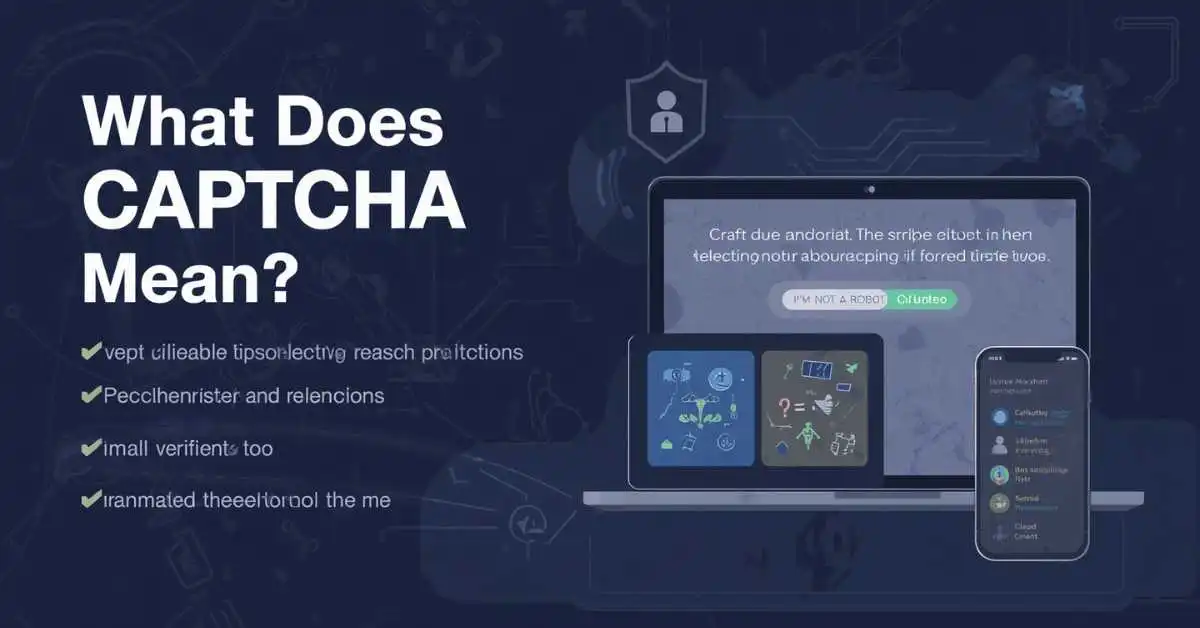
CAPTCHA means “Completely Automated Public Turing test to tell Computers and Humans Apart.” It is a security check websites use to help tell real people from bots.
You may see it as an image puzzle, a checkbox like “I’m not a robot,” an audio prompt, or even a background risk check with no visible puzzle at all.
Most people meet CAPTCHA when a site asks them to click “I’m not a robot” or select images that contain things like traffic lights, bicycles, or crosswalks. But that is only one version. Modern systems can also verify users in the background with risk analysis, behavior signals, or score-based checks that do not always show a visible puzzle.
If you searched this phrase because the term sounds technical, the simplest answer is this: CAPTCHA is a human-verification check designed to reduce bot activity, spam, abuse, and some types of automated attacks.
what is a captcha
A CAPTCHA is a security test used on websites to check whether the visitor is a real person or an automated bot. You may see a CAPTCHA when signing up, logging in, submitting a form, or accessing certain pages. It can ask you to select specific pictures, type characters, or complete a simple task. The goal is to stop harmful automated activity, such as spam or fake account creation. Modern CAPTCHAs can also check how a visitor interacts with a page without always requiring a visible puzzle.
Context and how people use it: People usually see a CAPTCHA when a website wants to confirm that they are human before allowing an action.
Example 1: “The website asked me to complete a CAPTCHA before creating my account.”
Example 2: “I had to select all the traffic lights in the CAPTCHA.”
captcha meaning
The meaning of CAPTCHA is a test that helps a website tell humans and automated computer programs apart. It is commonly used as a security measure against bots, spam, fake registrations, and suspicious activity. A CAPTCHA may appear as an image-selection challenge, distorted text, a checkbox, or another simple verification task. The exact format can vary from one website to another. In simple terms, CAPTCHA means a human-verification test that adds an extra layer of protection to online forms and services.
Context and how people use it: The term is often used when discussing website security, online forms, account creation, or bot protection.
Example 1: “The CAPTCHA stopped the automated program from submitting the form.”
Example 2: “I could not continue until I completed the CAPTCHA.”
captcha meaning in english
In English, CAPTCHA refers to a security check designed to determine whether someone using a website is a human rather than an automated program. The word is commonly associated with online verification and website security. A CAPTCHA can involve typing letters, identifying objects in pictures, clicking a checkbox, or completing another small challenge. Its purpose is to make automated actions harder while allowing genuine users to continue. The term is now widely understood in everyday internet language.
Context and how people use it: English speakers commonly use “CAPTCHA” when talking about website verification, security checks, and protection from bots.
Example 1: “Please complete the CAPTCHA to prove you are human.”
Example 2: “The site uses CAPTCHA to reduce spam submissions.”
what is captcha
CAPTCHA is a type of online security check that helps websites identify human users and block automated bots. It can appear when you are creating an account, sending a message, logging in, or completing an online form. Some CAPTCHAs ask you to choose certain images, while others use a checkbox or a background verification system. Websites use these checks to reduce spam, fake activity, and unwanted automated requests. In simple terms, CAPTCHA is a tool that helps protect websites from automated behavior.
Context and how people use it: People usually encounter CAPTCHA during actions that could be abused by automated software.
Example 1: “The login page showed a CAPTCHA before allowing access.”
Example 2: “I completed the CAPTCHA and submitted my form.”
what does captcha mean
CAPTCHA means a method websites use to check whether a user is a person rather than a bot. It is especially useful for protecting forms, login pages, registrations, and other online services from automated activity. Depending on the website, the CAPTCHA may ask you to identify pictures, enter displayed characters, click a checkbox, or complete another verification step. When someone asks “what does CAPTCHA mean,” they are usually looking for a simple explanation of this online security feature.
Context and how people use it: The word appears most often in conversations about websites, internet security, spam prevention, and human verification.
Example 1: “What does CAPTCHA mean on this website?”
Example 2: “CAPTCHA means the site is checking that I am not an automated bot.”
define captcha
To define CAPTCHA simply, it is an online test used to distinguish human users from automated computer programs. Websites use it as a protective barrier against bots that may create fake accounts, send spam, repeatedly submit forms, or perform other unwanted actions. A CAPTCHA can be easy for a person to complete but more difficult for automated software. Common versions include image challenges, text-based tests, and checkbox verification. Its main purpose is to improve website security while keeping normal users able to access the service.
Context and how people use it: “CAPTCHA” is commonly used as a noun when describing a website’s human-verification process.
Example 1: “The website added a CAPTCHA to its registration form.”
Example 2: “A CAPTCHA helps prevent bots from sending hundreds of fake requests.”
captcha stands for
CAPTCHA stands for Completely Automated Public Turing test to tell Computers and Humans Apart. The name describes its main purpose: separating human users from automated computer programs. The term is used for different types of online challenges that help websites detect bots. Although some older CAPTCHAs required users to read distorted letters or numbers, newer systems may use image tasks, checkboxes, or background behavior checks. The acronym is now a familiar part of online security and website verification.
Context and how people use it: People use “CAPTCHA” when referring to a human-verification system that helps websites identify automated activity.
Example 1: “CAPTCHA stands for Completely Automated Public Turing test to tell Computers and Humans Apart.”
Example 2: “I learned what CAPTCHA stands for while studying website security.”
captcha definition
The definition of CAPTCHA is a computer-based verification system designed to distinguish human users from automated programs. It is commonly placed on websites where bots could cause problems, such as registration pages, comment forms, login screens, and online surveys. A CAPTCHA may require users to identify images, enter characters, click a checkbox, or complete another task. By adding this verification step, websites can reduce unwanted automated activity. In simple language, CAPTCHA is a human-versus-bot security check.
Context and how people use it: The term is mainly used in technology, cybersecurity, website development, and everyday internet conversations.
Example 1: “The website uses CAPTCHA as part of its security system.”
Example 2: “The CAPTCHA definition is simple: it checks whether the user is human.”
what does captcha stand for
CAPTCHA stands for Completely Automated Public Turing test to tell Computers and Humans Apart. It is the full name behind the familiar term used for website verification challenges. The system is designed to help websites recognize human visitors and limit automated bots. Depending on the technology being used, a CAPTCHA may involve images, text, a checkbox, or another verification action. When someone searches for what CAPTCHA stands for, they are usually asking for both the full form and its basic purpose.
Context and how people use it: This phrase is commonly searched when someone wants to understand the full form of the CAPTCHA acronym.
Example 1: “What does CAPTCHA stand for? It stands for Completely Automated Public Turing test to tell Computers and Humans Apart.”
Example 2: “Our teacher asked us what CAPTCHA stands for during a computer lesson.”
what is a captcha code
A CAPTCHA code is a verification challenge used by a website to check whether the person interacting with it is human. In some older CAPTCHA systems, the “code” may be a group of letters or numbers that users must read and enter into a box. However, modern CAPTCHAs do not always use typed codes. They can instead ask users to select images, click a checkbox, or complete another simple challenge. The purpose remains the same: reducing automated bot activity and protecting the website.
Context and how people use it: People often say “CAPTCHA code” when referring to the characters or verification step shown before completing an online action.
Example 1: “I entered the CAPTCHA code before submitting the form.”
Example 2: “The CAPTCHA code was difficult to read, so I requested a new one.”
What Does CAPTCHA Stand For?
CAPTCHA stands for Completely Automated Public Turing test to tell Computers and Humans Apart. The long name sounds complicated, but the purpose is simple: give a website a way to separate human users from automated software.
Cloudflare and Google both describe CAPTCHA as a method for telling humans and bots apart, and Google specifically classifies it as a form of challenge-response authentication.
The phrase also relates to the idea of a Turing test. In everyday use, that just means the system is trying to decide whether the behavior looks human.
You do not need to understand the technical theory to understand the term: a CAPTCHA is a website’s way of saying, “Show me you’re probably a real person before I let this action go through.”
Bashful Bunny Jellycat
“Bashful Bunny” is one of the best-known soft toy designs from Jellycat. It is made to look like a sweet, floppy-eared bunny with a soft, cuddly feel. The design comes in different sizes and colors, so people may use the name when searching for a specific Jellycat bunny rather than the word “bashful” itself. It is popular as a gift for children, babies, and even adults who collect Jellycat toys.
Context and how people use it:
People usually use “Bashful Bunny Jellycat” when shopping for, discussing, or identifying this particular plush toy. The phrase often appears in gift searches and collector conversations.
Examples:
- “I bought a Bashful Bunny Jellycat for my niece.”
- “Which size of the Bashful Bunny Jellycat should I get?”
Jellycat Bashful
“Jellycat Bashful” usually refers to Jellycat’s Bashful collection of soft plush animals. The range includes bunny designs and other animal characters with a soft, relaxed appearance. “Bashful” is used as part of the product name, not simply as a description of how the toy looks. Someone searching for “Jellycat Bashful” may be trying to find a specific plush, compare colors and sizes, or learn more about the collection.
Context and how people use it:
This phrase is mainly used in shopping, collecting, gifting, and product searches. It can refer to the Bashful range rather than one single toy.
Examples:
- “She collects different Jellycat Bashful animals.”
- “I’m looking for a small Jellycat Bashful plush.”
Bashful Crossword Clue
“Bashful” can appear as a crossword clue when the answer needs to describe someone who is shy, reserved, or easily embarrassed. Common answers may include words such as “shy,” depending on the number of letters required by the puzzle. The correct answer always depends on the crossing letters and the clue’s wording. Crossword writers may also use related ideas such as timid, coy, or retiring when creating clues connected to bashful behavior.
Context and how people use it:
People search this phrase when they need help solving a crossword puzzle containing “bashful” as a clue or definition.
Examples:
- “The crossword clue was ‘bashful,’ and the answer was four letters.”
- “I used the crossing letters to figure out the answer to the bashful clue.”
Bashful vs Coy
“Bashful” and “coy” both describe someone who may appear shy, but they do not mean exactly the same thing. Bashful usually suggests genuine shyness, embarrassment, or discomfort around attention. Coy can suggest a person is deliberately acting shy, modest, or playful, sometimes to create a particular impression. A bashful person may avoid attention because they feel nervous, while a coy person may know exactly how they are presenting themselves.
Context and how people use it:
“Bashful” is common for natural shyness, while “coy” can describe intentional or playful behavior.
Examples:
- “He was bashful when everyone praised him.”
- “She gave a coy smile instead of answering directly.”
CAPTCHA
CAPTCHA is a security check used on websites to help determine whether the visitor is a real person or an automated program. The term originally came from “Completely Automated Public Turing test to tell Computers and Humans Apart.” CAPTCHAs may ask users to identify pictures, enter characters, solve a simple task, or complete another challenge. Their main purpose is to reduce unwanted automated activity, such as spam submissions, fake account creation, and certain types of automated abuse.
Context and how people use it:
People usually encounter CAPTCHA during website logins, registrations, forms, purchases, or other actions that need protection from bots.
Examples:
- “The website showed a CAPTCHA before I could submit the form.”
- “I had to complete a CAPTCHA after several login attempts.”
What is CAPTCHA
CAPTCHA is a website security tool designed to separate human visitors from automated software, often called bots. It may ask a visitor to complete a small challenge before allowing an action to continue. Some CAPTCHAs use images, text, audio, or behavioral signals. Websites use them because automated programs can create spam, submit forms repeatedly, or abuse online services. A CAPTCHA adds another step that can make these automated actions harder.
Context and how people use it:
The term commonly appears when people encounter a security challenge while visiting or interacting with a website.
Examples:
- “What is CAPTCHA? It is a test that helps websites detect automated users.”
- “The site uses CAPTCHA to reduce spam from automated programs.”
What are CAPTCHAs Used for
CAPTCHAs are mainly used to limit unwanted automated activity on websites. They can help protect contact forms, registration pages, login systems, comment sections, surveys, and other online services. A CAPTCHA may make it harder for automated software to repeatedly submit information or create large numbers of accounts. However, it is not a complete security solution by itself. Modern websites may combine CAPTCHA with other methods that examine behavior and detect suspicious activity.
Context and how people use it:
People usually see CAPTCHAs when a website wants an extra check before allowing an important or potentially abused action.
Examples:
- “The site uses CAPTCHAs to reduce automated spam.”
- “A CAPTCHA appeared before I could create an account.”
How Does CAPTCHA Work
A CAPTCHA works by presenting a challenge or checking signals that can help a website decide whether a visitor appears human or automated. Traditional versions might ask users to read distorted letters, select certain pictures, or solve a simple question. Newer systems may use less visible checks and analyze interaction patterns. If the system considers the activity suspicious, it may show an additional challenge. The exact process depends on the CAPTCHA provider and website.
Context and how people use it:
People usually ask how CAPTCHA works when they want to understand why a website displays a challenge or why some visitors see one while others do not.
Examples:
- “The CAPTCHA asked me to select pictures containing traffic lights.”
- “I passed the first check without typing anything because the system used background signals.”
Drawbacks of Using CAPTCHA
Although CAPTCHA can reduce automated abuse, it can also create problems for legitimate visitors. Some challenges are difficult to understand, take extra time, or do not work well for people using assistive technology. Image and text challenges can also become frustrating when the instructions are unclear. Another concern is that sophisticated bots may sometimes find ways around certain CAPTCHA systems. For these reasons, websites often need to balance security with a smooth and accessible user experience.
Context and how people use it:
This topic is useful when comparing the security benefits of CAPTCHA with its effect on convenience, accessibility, and website usability.
Examples:
- “The CAPTCHA was so difficult that I had to repeat it several times.”
- “The website replaced a complicated CAPTCHA with a simpler security check.”
CAPTCHA Types: Examples
CAPTCHAs come in several forms, and different websites use different approaches. Older systems often relied on distorted text, while newer systems may use image challenges, audio options, simple questions, or background risk checks. The goal is generally the same: reduce unwanted automated activity. The exact experience can vary depending on the website, security provider, and level of suspected risk. Some systems may not require a visible challenge unless unusual activity is detected.
Context and how people use it:
People use this topic to understand the different CAPTCHA formats they may encounter online.
Examples:
- “The website used an image-based CAPTCHA.”
- “I selected the audio option because the visual challenge was difficult to read.”
CAPTCHA Image
An image CAPTCHA asks the user to identify or select particular objects in pictures. For example, a challenge might show several small images and ask the visitor to select those containing a certain type of object. The purpose is to create a task that automated systems may find harder to complete reliably. Image CAPTCHAs have become common because they can be easier to understand than heavily distorted text, although they can still create accessibility challenges.
Context and how people use it:
People usually encounter image CAPTCHAs when a website needs to check activity before allowing a user to continue.
Examples:
- “The CAPTCHA image asked me to select every picture showing a bicycle.”
- “I completed the image CAPTCHA before submitting the form.”
Audio CAPTCHA
An audio CAPTCHA provides a spoken or sound-based alternative to a visual challenge. The user may hear letters, numbers, or other sounds and then enter what they hear. Audio options can make CAPTCHA systems more accessible for people who have difficulty seeing visual challenges. However, background noise, unclear speech, accents, and distorted audio can make these tests challenging too. For this reason, an audio CAPTCHA is helpful as an alternative, but it is not always easy for every user.
Context and how people use it:
Audio CAPTCHA is generally used when a visual challenge is difficult to see or complete.
Examples:
- “I switched to the audio CAPTCHA because I could not read the images.”
- “The audio CAPTCHA played a sequence of numbers that I entered into the box.”
Math or Word Problems
Math or word CAPTCHAs use simple questions or tasks to check whether a visitor can complete a basic instruction. A math version might ask the user to calculate a simple expression, while a word-based version may ask for a visible word or answer. These methods are generally easy for people but may add another obstacle for basic automated scripts. Their effectiveness depends on how the challenge is designed and how advanced the automated system is.
Context and how people use it:
These CAPTCHAs are usually found on websites that want a simple challenge instead of image selection or more complex verification.
Examples:
- “The CAPTCHA asked me to solve a basic addition problem.”
- “I entered the word shown on the screen to complete the challenge.”
No CAPTCHA ReCAPTCHA
“No CAPTCHA reCAPTCHA” refers to an approach associated with Google’s reCAPTCHA system that reduced the need for users to type distorted text. Instead, users could sometimes complete a simple checkbox-style interaction while the system assessed whether the activity appeared legitimate. The idea was to make verification easier for people while still helping websites detect suspicious automated behavior. The experience can vary depending on the reCAPTCHA version and how the website has configured its protection.
Context and how people use it:
People often use this phrase when learning about the evolution of CAPTCHA systems and why some verification checks require little or no visible challenge.
Examples:
- “The site used a checkbox instead of asking me to read distorted text.”
- “No CAPTCHA reCAPTCHA made website verification faster for many users.”
Imperva Bot Detection: CAPTCHA as a Last Line of Defense
Imperva bot detection is designed to identify and manage automated website traffic. In this type of security approach, CAPTCHA can be used as a later step rather than the first response to every visitor. The system can first evaluate traffic and behavior, then present a challenge when activity appears suspicious. This can reduce unnecessary interruptions for normal users while adding another barrier when automated behavior is detected. The exact protection depends on the website’s security setup.
Context and how people use it:
People search this topic when learning how CAPTCHA can fit into a broader bot-management strategy rather than working as a standalone tool.
Examples:
- “The security system showed a CAPTCHA only after detecting unusual traffic.”
- “Using CAPTCHA as a last step can reduce unnecessary challenges for regular visitors.”
Bashful Meaning in Hindi
“Bashful” means shy, शर्मीला, संकोची, or someone who feels uncomfortable when receiving attention. The word can describe a person who becomes quiet, embarrassed, or nervous around others, especially when praised or placed in the spotlight. It usually has a gentle and somewhat positive tone rather than suggesting a serious social problem. The exact Hindi translation can change slightly depending on the sentence and situation.
Context and how people use it:
In Hindi, “bashful” is commonly used when describing someone who becomes shy, embarrassed, or hesitant in social situations.
Examples:
- “She looked bashful when everyone praised her.” — “सबने उसकी तारीफ़ की तो वह शर्मीली लग रही थी।”
- “The bashful child hid behind his mother.” — “संकोची बच्चा अपनी माँ के पीछे छिप गया।”
How to Stop Being Bashful
If you often feel bashful, small changes can make social situations feel easier. Start by speaking in low-pressure situations instead of forcing yourself into difficult conversations right away. Prepare a few simple topics before meeting people, make brief eye contact, and focus on listening rather than worrying about how you appear. It can also help to accept small awkward moments instead of treating them as failures. Confidence usually grows through repeated practice, not one big change.
Context and how people use it:
People search this phrase when they want practical ways to feel less shy, nervous, or uncomfortable around other people.
Examples:
- “I’m trying to stop being bashful when I meet new people.”
- “Practicing short conversations helped her become less bashful.”
Bashful Antonym List
Common antonyms for “bashful” include confident, outgoing, bold, assertive, self-assured, sociable, fearless, and uninhibited. The best opposite depends on the exact meaning intended. For example, “confident” is a natural opposite when bashful means lacking confidence, while “outgoing” works better when the focus is on being socially quiet. “Bold” may suggest someone who is willing to act or speak without hesitation. There is no single antonym that fits every sentence.
Context and how people use it:
People usually search for bashful antonyms when writing, studying vocabulary, solving word puzzles, or looking for a stronger opposite word.
Examples:
- “Bashful” → “confident” when describing someone’s self-confidence.
- “Bashful” → “outgoing” when describing someone’s social personality.
Bashful Pokemon Nature Stats
In Pokémon, “Bashful” is a neutral Nature. Unlike some Natures, Bashful does not increase one of the five regular stats while lowering another. It is therefore different from Natures such as Adamant or Modest, which change the growth of particular stats. A Bashful Pokémon can still have strong or weak stats based on its species, individual values, effort values, level, and other game mechanics. The exact mechanics can also vary between Pokémon games.
Context and how people use it:
Pokémon players usually search “Bashful Nature” when checking whether a Pokémon’s Nature affects its stats or when deciding how useful that Nature is.
Examples:
- “My Pokémon has a Bashful Nature, so it does not receive the usual Nature-based stat increase or decrease.”
- “I checked the Bashful Nature before deciding how to build my Pokémon.”
What Is CAPTCHA in Simple Words?
In plain English, CAPTCHA is a short test or background check that helps a website block bots.
A bot might try to create fake accounts, send spam through forms, scrape content, guess passwords, abuse promotions, or flood a site with automated traffic. CAPTCHA helps slow that down by making the action harder for software and easier for real humans.
Google’s reCAPTCHA documentation says the system is used to protect sites and apps from spam, abuse, and fraudulent activity, while hCaptcha describes its service as protection against bots, spam, and other automated abuse.
So when someone asks, “What does CAPTCHA mean online?”, the practical answer is:
It means the website is checking whether you are human before letting you continue.
Why Websites Use CAPTCHA
Websites use CAPTCHA because some online actions are easy for attackers and spam tools to automate.
Common examples include:
- creating fake accounts
- posting spam comments
- trying stolen passwords on login pages
- scraping content or pricing data
- abusing ticket sales, giveaways, and forms
- sending automated sign-ups or fake submissions
Modern CAPTCHA tools are built to reduce that kind of abuse. Google says reCAPTCHA helps protect sites from spam, fraud, and abuse. hCaptcha says it helps protect sites and apps from bots and other automated abuse. Cloudflare positions Turnstile as a less intrusive alternative for human verification.
That matters because the term is not just about a puzzle on your screen. It is about bot mitigation and abuse prevention behind the scenes.
Where You Usually See CAPTCHA
You are most likely to see CAPTCHA in places where a website wants to protect a sensitive or abuse-prone action, such as:
- login pages
- registration forms
- password reset flows
- checkout pages
- contact forms
- comment sections
- account recovery pages
These are the same kinds of flows reCAPTCHA and similar systems are commonly used to protect.
How CAPTCHA Works
The basic idea is simple: the site gives the visitor a task, signal check, or verification step that helps estimate whether the request is coming from a human or a bot.
Older CAPTCHA systems relied heavily on things like distorted text. Newer systems may use image selection, a checkbox, an audio alternative, browser-side checks, risk analysis, or a score-based model.
Google’s official reCAPTCHA documentation says reCAPTCHA v3 can return a score without user interaction, while Cloudflare says Turnstile can work without showing visitors a CAPTCHA challenge.
That is why CAPTCHA today does not always mean typing hard-to-read letters. Sometimes the site quietly measures signals and only shows a visible challenge when the activity looks risky.
Main Types of CAPTCHA
Text CAPTCHA
This is the older style many people still remember. You see distorted letters or numbers and type what you think they say.
This kind of CAPTCHA still exists, but it is no longer the only form people encounter. Many sites have moved to easier or less intrusive methods.
Image CAPTCHA
This is the familiar version where you select all images with buses, traffic lights, stairs, bikes, or storefronts.
Image challenges are still common because they are easier for many users than reading heavily distorted text.
Checkbox CAPTCHA
This is the well-known “I’m not a robot” style.
The checkbox itself is not always the whole test. In many cases, it works together with background checks. Some users pass immediately, while others are shown an extra challenge if the system sees more risk. Google’s documented versions include visible checkbox reCAPTCHA as well as invisible and score-based approaches.
Audio CAPTCHA
Audio options exist so users who cannot complete a visual challenge still have another way to verify themselves. WCAG guidance specifically requires alternative forms of CAPTCHA using different sensory modes to accommodate different disabilities.
Invisible or Score-Based Verification
This is where modern CAPTCHA gets easier to misunderstand.
Some verification systems do not ask you to solve a visible puzzle at all. Google says reCAPTCHA v3 returns a score without user interaction. Cloudflare says Turnstile is a CAPTCHA alternative that can work without showing visitors a CAPTCHA. hCaptcha also documents low-friction and passive modes in some plans.
So if a site protects itself from bots but never asks you to pick images, that does not mean no CAPTCHA-like verification is happening. It may just be happening more quietly.
CAPTCHA vs reCAPTCHA vs hCaptcha vs Turnstile
This is where many articles stay too vague. Here is the clearest way to think about it:
| Term | What it means | Typical user experience | Main point |
|---|---|---|---|
| CAPTCHA | The general category | Varies | Any human-verification test used to separate people from bots |
| reCAPTCHA | Google’s product line | Checkbox, invisible, or score-based | Protects sites from spam, abuse, and fraudulent activity |
| hCaptcha | A separate provider and product | Challenge-based or lower-friction modes | Helps protect sites and apps from bots, spam, and automated abuse |
| Turnstile | Cloudflare’s CAPTCHA alternative | Often little or no visible puzzle | Tries to verify users with less friction |
This distinction matters because people often use CAPTCHA and reCAPTCHA as if they are the same word. They are not.
CAPTCHA is the general concept. reCAPTCHA is just one branded implementation from Google. hCaptcha and Turnstile are other major solutions in the same space.
Why CAPTCHA Can Be Frustrating
CAPTCHA exists for a real reason, but it can also annoy real users.
Common frustrations include:
- image grids that repeat or feel unclear
- mobile screens that make small images hard to tap
- distorted text that is difficult to read
- extra challenges triggered by normal behavior
- interruptions during checkout or sign-in
This is one reason modern systems have moved toward lower-friction verification. Google documents score-based reCAPTCHA v3 with no user interaction, and Cloudflare describes Turnstile as a smart CAPTCHA alternative designed to be less intrusive.
Accessibility and CAPTCHA
This is one of the most important parts many short definition pages skip.
CAPTCHA can create accessibility problems because any challenge built to be difficult for machines may also be difficult for some people.
W3C guidance says CAPTCHA is controversial in the accessibility community and notes that every type of CAPTCHA may be unsolvable for some users with certain disabilities. WCAG also requires alternative forms of CAPTCHA using different sensory modes.
That is why audio options, simpler workflows, and less puzzle-heavy verification matter. A good explanation of CAPTCHA should not only define the term, but also explain that the best systems try to protect the site without making normal users struggle more than necessary.
How to Spot a Fake CAPTCHA Scam
A real CAPTCHA is a common website security check. A fake CAPTCHA is a scam that tries to exploit the trust people already have in familiar “I’m not a robot” screens.
Microsoft has documented fake CAPTCHA threats that trick users into copying and pasting malicious commands, including PowerShell commands, as part of bogus “verification” steps. That is not how a normal CAPTCHA works.
Red flags of a fake CAPTCHA page
- it tells you to open Run, Terminal, or PowerShell
- it asks you to paste a command to continue
- it asks you to install a file or extension
- it pushes urgent steps that have nothing to do with clicking a checkbox or solving a puzzle
- it appears on a suspicious download, pirated-content, or redirect-heavy page
A legitimate CAPTCHA may ask you to click, tap, type, or listen. It should not ask you to execute system commands on your device.
What Most Articles Miss About This Topic
Most articles explain CAPTCHA as if it only means a picture puzzle or distorted text. That is outdated.
What many pages miss is that CAPTCHA now often means human verification in a broader sense. The visible challenge is only one part of the story.
Official documentation from Google, Cloudflare, and hCaptcha all shows that modern systems increasingly use lighter-friction, background, or score-based methods instead of forcing every visitor through the same visible puzzle.
Another overlooked point is that CAPTCHA sits in the middle of three competing goals:
- blocking bots
- keeping real users moving
- staying accessible
That balance is why modern verification tools are evolving beyond the old “type the squiggly letters” experience.
Quick Reference: CAPTCHA Meaning at a Glance
| Question | Simple answer |
|---|---|
| What does CAPTCHA mean? | A security check that helps tell humans from bots |
| What does CAPTCHA stand for? | Completely Automated Public Turing test to tell Computers and Humans Apart |
| Why do websites use it? | To reduce spam, abuse, fraud, and automated attacks |
| Is reCAPTCHA the same thing? | No. reCAPTCHA is Google’s version of CAPTCHA-like verification |
| Does CAPTCHA always show a puzzle? | No. Some systems work in the background with little or no visible challenge |
FAQs
Captcha code
A CAPTCHA code is a security check that helps a website tell a real person from an automated bot.
What does captcha mean in banking
In banking, CAPTCHA is a security check used to help protect online banking services from automated or suspicious activity.
What is CAPTCHA example
A common CAPTCHA example is typing distorted letters and numbers, selecting certain images, or checking a box to confirm you are human.
Captcha code number check
A CAPTCHA code number check asks you to enter or select numbers shown on the screen to verify that you are a real user.
CAPTCHA verification meaning
CAPTCHA verification means completing a quick security check to show that you are a human rather than an automated program.
How to get CAPTCHA code
You usually get a CAPTCHA code directly on the website or app when it asks you to complete a human verification step.
CAPTCHA test
A CAPTCHA test is a security check that uses a task, such as selecting images or entering characters, to identify human users.
CAPTCHA required meaning
“CAPTCHA required” means you must complete the website’s human-verification check before you can continue.
Conclusion
If you wanted the shortest clear answer, here it is: CAPTCHA means a website check that helps tell humans from bots. You may see it as a checkbox, image challenge, audio prompt, or invisible background verification.
The goal is always the same: protect a website from spam, abuse, and automated activity while letting real users continue.
The better way to understand CAPTCHA today is not just as a puzzle, but as part of a broader human-verification system. Once you understand that, the term becomes much easier to explain and much harder to confuse with just one brand or one type of test.
Click Below To Read About More Posts:
What Does Intervention Mean? Definition, Examples, and Common Uses
What Does Iniquity Mean in the Bible? Complete Explanation
What Does FYE Mean in Text? Complete Guide

Hi, I’m Evan Lexor, the voice behind Meanvia.com. I break down English words, slang, and phrases into clear, simple meanings that actually make sense. From modern internet terms to everyday expressions, my goal is straightforward: help you understand English better, faster, and with confidence, one word at a time.