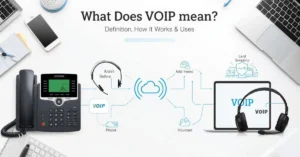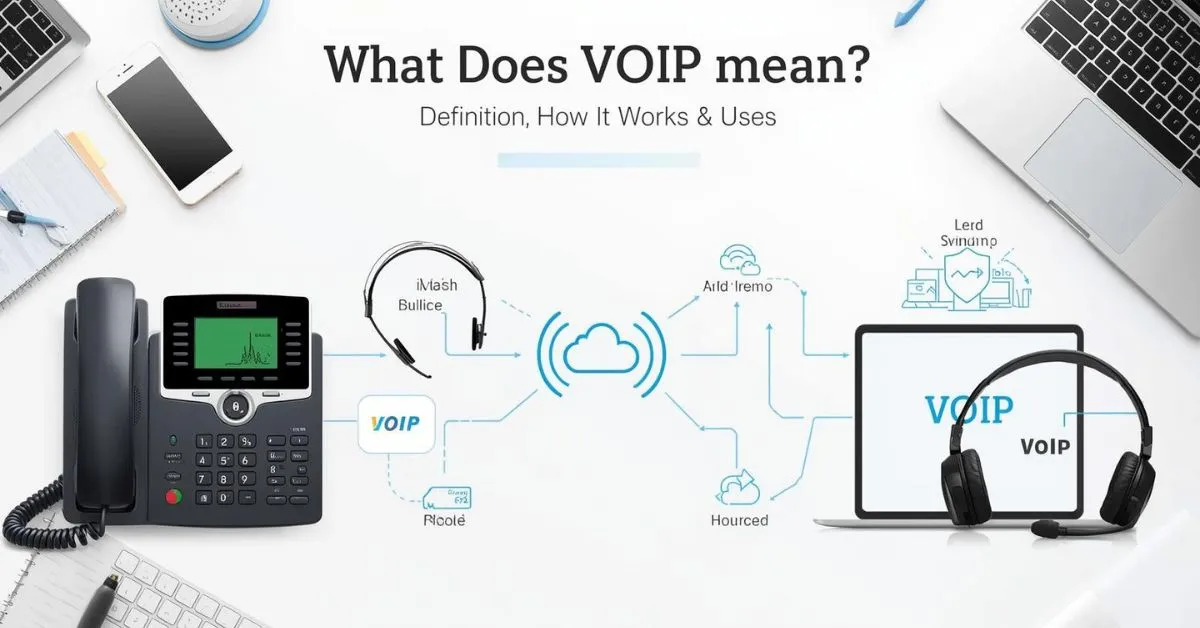
VoIP means “Voice over Internet Protocol.” It is a technology that lets you make phone calls over a broadband internet connection instead of a traditional analog phone line.
VoIP can work on desk phones, computers, smartphones, and apps, and many systems also include features like call forwarding, voicemail, call recording, and video meetings.
If you have ever used a cloud phone system, a softphone app, Google Voice, Microsoft Teams Phone, Zoom Phone, or a business VoIP service, you have likely already used VoIP.
The term sounds technical, but the idea is simple: your voice is turned into digital data packets and sent across an IP network, usually the internet, instead of traveling through a copper landline. That is why VoIP is also called internet telephony or IP telephony.
What Does VoIP Stand For?
VoIP stands for Voice over Internet Protocol. In plain English, it means voice calls that travel over the internet.
The FCC describes VoIP as technology for communicating using internet protocol rather than traditional analog systems, and its consumer guide explains that VoIP lets you make voice calls using a broadband connection instead of a regular phone line.
A very simple definition
If someone asks, “what does VoIP mean?”, the best short answer is this:
VoIP is a phone system that uses the internet instead of old-style landline wiring.
Other names you may see
VoIP is often called:
- Voice over IP
- internet calling
- internet phone service
- broadband phone service
- IP telephony
- cloud phone system
These terms are closely related, though some are broader than others. For example, “cloud phone system” usually refers to a hosted business setup built on VoIP.
How Does VoIP Work?
VoIP works by converting your voice into digital packets, sending those packets over an IP network, and turning them back into audio for the person on the other end. Cisco explains that analog voice calls are converted into data packets that travel like other internet data.
Step by step
Here is the simple version of what happens during a VoIP call:
- You speak into a VoIP desk phone, headset, laptop, or smartphone.
- The system digitizes your voice.
- Your voice is split into small packets of data.
- Those packets travel through your router and broadband connection over an IP network.
- The receiving device turns the packets back into sound.
Key technology behind VoIP
A few technical terms come up often:
SIP
SIP, or Session Initiation Protocol, helps start, manage, and end communication sessions. Cisco describes SIP as a request-and-response method used to establish a call or session between endpoints.
PBX
A PBX is a private business phone system that manages internal and external calls. Microsoft and Cisco both describe PBX systems as private telephone networks used by organizations to route and manage calls, extensions, voicemail, queues, and other features.
Hosted PBX
A hosted PBX or cloud PBX moves that phone system into the cloud, so your provider manages the platform instead of you running a traditional on-site system. Microsoft highlights cloud-based PBX as a digital replacement for traditional PBX with easier scaling and more features.
Softphone
A softphone is an app on a computer, tablet, or smartphone that lets you make and receive VoIP calls without a dedicated desk phone. Microsoft notes that VoIP phones can be either physical desk phones or software-based apps.
What Do You Need to Use VoIP?
Most people do not need much to get started with VoIP. The FCC says a broadband or high-speed internet connection is required, and Microsoft notes that calls can come from a computer, a special VoIP phone, or a standard telephone with an adapter.
Basic VoIP setup
A standard VoIP setup may include:
- broadband internet
- modem and router
- Ethernet or Wi-Fi network
- VoIP service provider
- VoIP desk phone, computer, or mobile app
- headset or microphone
- adapter for an old analog phone, if needed
Types of VoIP devices
VoIP desk phones
These look like normal office phones, but they are built for internet calling and often connect by Ethernet. Zoom lists support for desk phones from makers such as Poly, Yealink, and Mitel.
Mobile and desktop apps
Many services let users call from apps on Windows, Mac, iPhone, Android, and tablets. Google Voice, Zoom Phone, Microsoft Teams, and Vonage all support app-based calling across devices.
Analog telephone adapter
An ATA lets you connect some traditional phones to a VoIP service. Microsoft notes that standard telephones can work with an adapter.
What Is a VoIP Phone?
A VoIP phone is a device or app that uses an internet connection instead of the traditional telephone network. Microsoft explains that a VoIP phone can be a physical desk phone or a software-based app running on a computer, tablet, or smartphone.
That means a VoIP phone is not always a phone sitting on a desk. In many cases, it is simply an app on your laptop or mobile phone.
Common VoIP Features
One reason VoIP is popular is that it often includes more than basic calling. TechTarget notes that VoIP systems can include features like call recording, custom caller ID, and voicemail to email. RingCentral, Zoom Phone, and Nextiva also highlight call forwarding, call recording, voicemail, routing, SMS, integrations, and mobile apps as common VoIP features.
Popular VoIP features for home and business
- call forwarding
- voicemail
- voicemail to email
- voicemail transcription
- call recording
- auto attendant
- call queues
- call routing
- conference calling
- video meetings
- business SMS
- caller ID
- virtual phone numbers
- CRM integrations
- team chat and unified communications
Why businesses like these features
For a small business, a VoIP phone system can act like a full communication hub. Microsoft says PBX systems commonly support auto attendants, voicemail, routing, conferencing, and contact center integrations. Vonage and Zoom also position their cloud systems as unified tools for calling, messaging, video, and integrations.
VoIP vs Landline vs Wi-Fi Calling
Many users searching “what does VoIP mean” also want to know how it compares with older and newer calling options.
| Feature | VoIP | Traditional Landline | Wi-Fi Calling |
|---|---|---|---|
| Main connection | Internet / IP network | Analog phone line | Wi-Fi through mobile carrier |
| Devices | Desk phones, apps, laptops, smartphones | Fixed phone | Mobile phone |
| Business features | Usually strong | Usually limited | Usually limited |
| Mobility | High | Low | Medium |
| Works without internet | No | Often yes | No |
| Carrier dependent | Not always | Yes | Yes |
VoIP uses the internet as the main transport for calls, while a landline uses the traditional phone network. Wi-Fi Calling is different: Apple says it lets you make or receive a call over Wi-Fi when cellular coverage is weak, while Sony explains that Wi-Fi Calling reaches your mobile carrier over the internet, whereas VoIP does not depend on the operator in the same way.
The simple difference
- VoIP: internet-based calling through a VoIP service or app
- Landline: old-style phone line
- Wi-Fi Calling: carrier feature that uses Wi-Fi instead of a nearby cell tower
Benefits of VoIP
VoIP is widely used because it can lower costs and add flexibility. Microsoft says VoIP systems can offer cost savings over traditional landline services, and major cloud phone providers emphasize scalability, mobility, and feature depth.
Main advantages
Lower costs
VoIP often reduces calling costs, especially for long-distance, distributed teams, or businesses replacing older hardware-heavy phone systems.
Flexibility
Calls can be made from many devices and locations. Google Voice says its service works on smartphones and computers and syncs across devices.
Easy scaling
Cloud VoIP makes it easier to add numbers, extensions, and users than many legacy systems. Microsoft highlights easier scaling with cloud-based PBX.
Better feature set
Many providers bundle voicemail, SMS, transcription, call routing, integrations, and video into one platform.
Drawbacks and Things to Avoid
A stronger article should also be honest about the limits. The FCC warns that VoIP service may not work if your power is out or if your internet connection fails, and it recommends understanding your provider’s 911 support and backup options.
Common drawbacks
Internet quality matters
Weak broadband can cause poor call quality, delay, or dropped calls. Because VoIP depends on data networks, your router, bandwidth, and network congestion all matter.
Power outages can affect service
Traditional landlines may keep working in some outage situations, but many VoIP systems rely on your local power and internet equipment.
911 setup needs care
The FCC says you should understand how your interconnected VoIP provider handles 911 and make sure your registered location is correct.
Mistakes to avoid
- choosing the cheapest provider without checking support
- ignoring bandwidth and network stability
- skipping headset and hardware quality
- not reviewing emergency calling support
- failing to secure admin accounts and devices
- picking a plan before checking needed features like call recording, SMS, or CRM integration
These are practical issues that often shape the real user experience more than the simple definition does.
Real Examples of VoIP
VoIP is not just one service. It is a broad category that includes many types of tools.
Consumer and small business examples
- Google Voice gives users a phone number for calling, texting, and voicemail across computers and smartphones.
- Zoom Phone is a cloud VoIP phone service with domestic calling, SMS, voicemail transcription, call recording, and app integrations.
- Microsoft Teams Phone supports VoIP and cloud PBX-style business calling.
- RingCentral, Nextiva, and Vonage all offer cloud communications platforms with voice, messaging, mobile apps, routing, and integrations.
Example use cases
A freelancer may use a VoIP number to keep work calls separate from personal calls. A small business may use a hosted PBX with auto attendants, call queues, and desk phones. A remote team may use softphones and headsets instead of a physical office phone system. All of those are real-world uses of VoIP.
How to Choose the Right VoIP Setup
If you are moving beyond the meaning of VoIP and thinking about using it, focus on a few basics first.
Look at these before you buy
1. Internet quality
No VoIP setup is better than the connection behind it.
2. Device needs
Decide whether you want desk phones, softphones, or both.
3. Features
Check for auto attendants, call forwarding, voicemail, SMS, call recording, video, integrations, and analytics.
4. Emergency support
Review 911 support and backup options carefully.
5. Growth
If your team may expand, choose a platform that can scale with new users and extensions.
FAQ
What does VoIP stand for?
VoIP stands for Voice over Internet Protocol. It means phone calls are carried over an IP network, usually the internet, instead of a traditional analog phone line.
Is VoIP the same as internet calling?
Yes, in most everyday use, VoIP and internet calling mean the same thing. VoIP is the technical term for voice calls made over the internet.
What is a VoIP phone?
A VoIP phone is either a desk phone built for IP calling or a softphone app that runs on a computer, tablet, or smartphone.
Do you need internet for VoIP?
Yes. The FCC says VoIP requires a broadband or high-speed internet connection.
Is VoIP better than a landline?
It depends on your needs. VoIP usually offers more flexibility, more features, and lower costs, while landlines may still be simpler and more resilient in some outage situations.
Is VoIP the same as Wi-Fi Calling?
No. Wi-Fi Calling is usually a carrier feature that uses Wi-Fi when mobile coverage is weak, while VoIP is a broader internet-based calling technology that can work across dedicated apps, desk phones, and cloud phone systems.
Can VoIP call regular phone numbers?
Yes. Cisco notes that using a VoIP service, you can call landline or cell phones.
What are the main risks of VoIP?
The biggest risks are poor internet quality, power outages, and not understanding how emergency calling works with your provider.
Final Answer:
VoIP means Voice over Internet Protocol. It is a way to make voice calls over an internet connection rather than a regular analog phone line. It powers modern internet calling, softphone apps, business phone systems, cloud PBX platforms, and many unified communications tools used by homes, small businesses, and large companies.
If you want a phone system that is more flexible, more mobile, and usually richer in features than a basic landline, VoIP is often the technology behind it.
Read Also This Post: What Does Aurora Mean? Definition, Name Meaning, and Origin

Hi, I’m Evan Lexor, the voice behind Meanvia.com. I break down English words, slang, and phrases into clear, simple meanings that actually make sense. From modern internet terms to everyday expressions, my goal is straightforward: help you understand English better, faster, and with confidence, one word at a time.