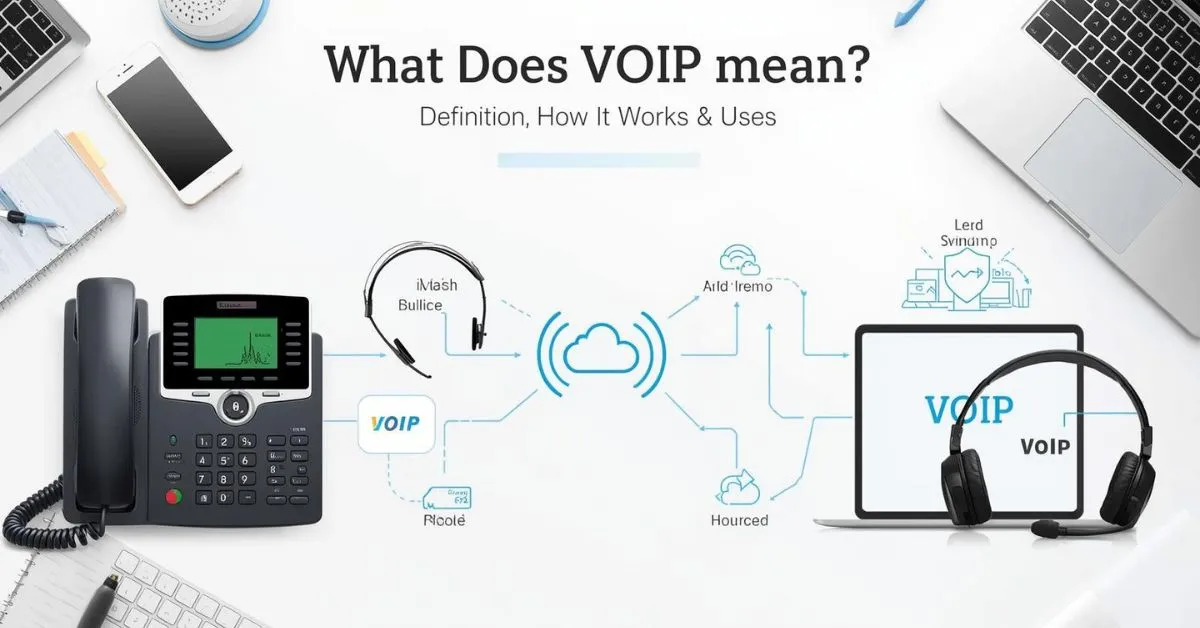
VoIP means “Voice over Internet Protocol.” It is a technology that lets you make phone calls over a broadband internet connection instead of a traditional analog phone line.
VoIP can work on desk phones, computers, smartphones, and apps, and many systems also include features like call forwarding, voicemail, call recording, and video meetings.
If you have ever used a cloud phone system, a softphone app, Google Voice, Microsoft Teams Phone, Zoom Phone, or a business VoIP service, you have likely already used VoIP.
The term sounds technical, but the idea is simple: your voice is turned into digital data packets and sent across an IP network, usually the internet, instead of traveling through a copper landline. That is why VoIP is also called internet telephony or IP telephony.
Best free VoIP apps
The best free VoIP apps let you make voice or video calls over the internet instead of using a traditional phone network. Options vary by country, device, and whether you need calls to other app users or regular phone numbers. Some apps are free for app-to-app calls but charge for phone numbers or outside calls.
Context and how people use it
People often search for free VoIP apps when they want to save money on calls, especially for personal chats, remote work, or international communication.
Example 1: “I need a free VoIP app for calling my family overseas.”
Example 2: “Which free VoIP app works well on my computer?”
VoIP number free
A free VoIP number is a phone number provided through an internet-based calling service rather than a traditional mobile or landline network. Some providers offer free numbers in certain countries, while others give free trials or limited plans. Availability can depend on your location, verification requirements, and the provider’s current rules.
Context and how people use it
People may look for a free VoIP number for online calling, business communication, privacy, or receiving calls without using their main mobile number.
Example 1: “Can I get a free VoIP number for my small business?”
Example 2: “I want a free VoIP number for receiving work calls.”
How to get a VoIP number
To get a VoIP number, choose a VoIP provider, create an account, select an available number, and complete any required verification. Some services offer free numbers, while others require a monthly plan or charge for certain features. The exact steps depend on the provider and the country where you need the number.
Context and how people use it
This query is common among people who want a separate number for work, online communication, customer calls, or calls while traveling.
Example 1: “How do I get a VoIP number for my new business?”
Example 2: “I want a VoIP number that I can use from my laptop.”
VoIP vs WhatsApp call difference
VoIP is a broad technology that sends voice calls over the internet, while WhatsApp is a specific messaging app that uses internet-based calling. In simple terms, a WhatsApp call uses VoIP technology, but not every VoIP call happens through WhatsApp. VoIP can also power business phone systems, desk phones, computer apps, and other calling services.
Context and how people use it
People often compare them when deciding between a messaging app and a dedicated internet phone service.
Example 1: “Is a WhatsApp call considered a VoIP call?”
Example 2: “What is the difference between WhatsApp calling and a business VoIP system?”
Best VoIP service for small business
The best VoIP service for a small business depends on the company’s needs, budget, team size, and calling features. Useful features may include business numbers, call forwarding, voicemail, auto-attendants, call recording, mobile apps, and team calling. A good service should also offer reliable call quality and easy setup without adding features the business does not need.
Context and how people use it
Small businesses often use VoIP to manage customer calls and team communication without maintaining a traditional phone system.
Example 1: “We need a simple VoIP service for a five-person business.”
Example 2: “Which VoIP features are useful for a small customer support team?”
VoIP calling app for PC
A VoIP calling app for PC lets you make or receive voice calls through an internet connection using a computer. Depending on the service, you may be able to use a headset, microphone, webcam, business phone number, or existing account. Some apps are designed for personal communication, while others focus on business calling and team features.
Context and how people use it
People use PC VoIP apps when they want to make calls from a computer instead of relying on a physical phone.
Example 1: “I need a VoIP calling app for my Windows PC.”
Example 2: “Can I make business calls from my laptop with a VoIP app?”
VoIP phone number lookup
A VoIP phone number lookup is a search used to learn more about a phone number that is provided through an internet-based phone service. Depending on the available data, a lookup may show the number’s carrier, general location, number type, or other public information. It may not reveal the actual person using the number.
Context and how people use it
People often use this search when they receive an unfamiliar call and want to determine whether the number is associated with a VoIP service.
Example 1: “I received a strange call from a VoIP number and want to check it.”
Example 2: “Can a phone lookup tell me if a number is VoIP?”
Why does VoIP call quality drop
VoIP call quality can drop when the internet connection is slow, unstable, congested, or experiencing high latency or packet loss. Wi-Fi problems, network traffic, weak equipment, and incorrect settings can also affect the call. Symptoms may include delays, robotic voices, dropped audio, echoes, or calls that disconnect unexpectedly.
Context and how people use it
People usually search this when their internet calls sound unclear or keep cutting out during conversations.
Example 1: “Why does my VoIP call become choppy during busy hours?”
Example 2: “My VoIP calls keep dropping even though my internet seems fast.”
How to block VoIP calls (spam/scam angle)
You can reduce unwanted VoIP spam calls by blocking individual numbers, using your phone’s spam protection, enabling call-screening features, or using filtering tools offered by your phone or VoIP provider. Blocking one number may not stop all spam because scammers can use different numbers or spoof caller ID.
Context and how people use it
People usually search this after receiving repeated unwanted calls that may involve scams, fake offers, or suspicious requests for personal information.
Example 1: “How can I block repeated VoIP scam calls?”
Example 2: “I keep getting spam calls from different internet phone numbers.”
VoIP scam calls meaning
VoIP scam calls are fraudulent or deceptive calls made using internet-based phone technology. Scammers may use VoIP because it can make calling large numbers of people easier and can sometimes make caller information harder to identify. A VoIP number itself does not mean the caller is a scammer; legitimate businesses and individuals use VoIP every day.
Context and how people use it
People use this term when they receive suspicious calls and want to understand whether an internet-based number could be connected to a scam.
Example 1: “I got a suspicious call from a VoIP number asking for money.”
Example 2: “Does receiving a VoIP call automatically mean it is a scam?”
is VoIP the same as internet calling
VoIP and internet calling are closely related, but the terms are not always used in exactly the same way. VoIP means Voice over Internet Protocol, a technology that carries voice communication over an IP network. “Internet calling” is a broader, more casual term that can describe voice calls made through internet-based apps and services, including many systems that use VoIP.
Context and how people use it
People often ask this when they want to understand what makes a normal phone call different from a call made through the internet.
Example 1: “Is calling someone through an internet app considered VoIP?”
Example 2: “I keep hearing about VoIP, but is it just internet calling?”
VoIP router settings
VoIP router settings control how internet traffic is handled for voice calls and related services. Depending on the phone system, important areas can include Quality of Service (QoS), bandwidth management, firewall rules, and network configuration. The correct settings vary by VoIP provider and router, so changing advanced options without guidance can sometimes create connection or call-quality problems.
Context and how people use it
People usually search for VoIP router settings when setting up a new phone system or trying to fix call quality, connection, or registration issues.
Example 1: “Which router settings should I check when my VoIP calls keep dropping?”
Example 2: “Do I need to change my router settings before installing a VoIP phone?”
What Does VoIP Stand For?
VoIP stands for Voice over Internet Protocol. In plain English, it means voice calls that travel over the internet.
The FCC describes VoIP as technology for communicating using internet protocol rather than traditional analog systems, and its consumer guide explains that VoIP lets you make voice calls using a broadband connection instead of a regular phone line.
A very simple definition
If someone asks, “what does VoIP mean?”, the best short answer is this:
VoIP is a phone system that uses the internet instead of old-style landline wiring.
Other names you may see
VoIP is often called:
- Voice over IP
- internet calling
- internet phone service
- broadband phone service
- IP telephony
- cloud phone system
These terms are closely related, though some are broader than others. For example, “cloud phone system” usually refers to a hosted business setup built on VoIP.
What is VoIP
VoIP stands for Voice over Internet Protocol. It is a technology that lets people make voice calls using an internet connection instead of a traditional phone network. Services such as internet calling apps, business phone systems, and online meeting tools can use VoIP to send voice data over the internet. You can use VoIP on a smartphone, computer, or special VoIP phone, depending on the service. It is common in homes and businesses because it can offer flexible calling features and work across different devices.
Context and how people use it: People usually use “VoIP” when talking about internet-based phone calls, business communication, or online calling services.
Example 1: “Our company uses VoIP for employee calls.”
Example 2: “I made the call through a VoIP app.”
What does VoIP mean
VoIP means Voice over Internet Protocol. It refers to a way of making voice calls through an internet connection. Instead of sending your voice through a traditional telephone network, VoIP converts the audio into digital data and sends it over the internet. The term often appears when people discuss business phone systems, internet calling apps, customer support platforms, or remote work tools. VoIP can also include features such as voicemail, call forwarding, conference calling, and business extensions, depending on the service being used.
Context and how people use it: People use “VoIP” when explaining how phone calls can work through the internet rather than a traditional phone line.
Example 1: “Does your office use VoIP for phone calls?”
Example 2: “VoIP means you can make calls using the internet.”
VoIP meaning
The VoIP meaning is Voice over Internet Protocol, a technology for sending voice communication over the internet. In simple terms, VoIP allows a person to talk to another person using an internet connection instead of relying only on a traditional telephone network. VoIP can be used through apps, computers, smartphones, and dedicated business phones. Its features and cost can vary by provider. You may see the term in conversations about online calling, office communication, remote work, customer service, and internet-based phone systems.
Context and how people use it: “VoIP” is commonly used as a technical term when discussing internet calling and modern communication systems.
Example 1: “I learned the VoIP meaning while setting up an office phone.”
Example 2: “The company switched to VoIP for internet-based calling.”
What does VoIP stand for
VoIP stands for “Voice over Internet Protocol.” Each part describes how the technology works. “Voice” refers to spoken communication, while “Internet Protocol” refers to the rules used to send digital information across networks. Together, the phrase describes technology that carries voice communication through internet networks. VoIP is used by individuals, businesses, call centers, and communication platforms. Depending on the service, it may support more than basic voice calls, including voicemail, call transfers, conference calls, and other communication features.
Context and how people use it: People usually ask “what does VoIP stand for?” when they want to understand the abbreviation behind internet-based phone services.
Example 1: “What does VoIP stand for in a business phone system?”
Example 2: “VoIP stands for Voice over Internet Protocol.”
VoIP definition
The VoIP definition is a technology that allows voice communication to travel through internet-based networks using Internet Protocol. Rather than depending on a traditional telephone network for the entire call, VoIP sends voice information as digital data across an IP network. This technology can support personal calls, business phone systems, customer service lines, and remote communication. VoIP is not one single app or brand. Different providers offer different systems and features, so the exact calling experience can vary depending on the service, device, and internet connection.
Context and how people use it: The term “VoIP definition” is often searched by people learning about internet phone systems or researching communication technology.
Example 1: “The VoIP definition helped me understand our new phone system.”
Example 2: “This guide gives a simple VoIP definition for beginners.”
VoIP
VoIP is a short form of Voice over Internet Protocol. It describes technology that carries voice calls over an IP network, often using the internet. Unlike the word “phone,” VoIP does not refer to one particular device or company. It is a method of communication that can be built into different services and systems. People may use VoIP through mobile apps, computers, business phones, or other connected devices. Businesses often use it as part of broader communication systems that can include calling, voicemail, transfers, and conference features.
Context and how people use it: People use “VoIP” as a quick term for internet-based voice calling and phone communication.
Example 1: “Our business recently started using VoIP.”
Example 2: “Can this computer work with VoIP?”
What is a VoIP
A VoIP usually refers to a VoIP service, system, phone, or setup that uses Voice over Internet Protocol. In simple language, it means a communication solution that allows voice calls to use an IP network instead of relying entirely on traditional telephone infrastructure. Depending on the context, “a VoIP” might describe a VoIP phone, service, account, or system. The exact meaning comes from the sentence where it appears. VoIP solutions are widely used for personal communication, business calls, remote teams, and customer support.
Context and how people use it: People may say “a VoIP” when referring informally to a VoIP service, phone, account, or communication setup.
Example 1: “We need a VoIP for our small office.”
Example 2: “The technician installed a VoIP phone for the new employee.”
What is VoIP?
VoIP is a communication technology that sends voice calls over an IP network, commonly the internet. The name comes from Voice over Internet Protocol. Instead of depending on a traditional telephone connection, a VoIP system converts voice into digital information that can travel through a network. People can access VoIP through different devices and services, including smartphones, computers, and dedicated VoIP phones. Many systems also provide useful calling features. The exact options depend on the provider and setup, but the main idea remains internet-based voice communication.
Context and how people use it: This question is commonly used by beginners who want a simple explanation of VoIP and how internet phone calls work.
Example 1: “What is VoIP, and can I use it for business calls?”
Example 2: “VoIP lets us make voice calls through our internet connection.”
How Does VoIP Work?
VoIP works by converting your voice into digital packets, sending those packets over an IP network, and turning them back into audio for the person on the other end. Cisco explains that analog voice calls are converted into data packets that travel like other internet data.
Step by step
Here is the simple version of what happens during a VoIP call:
- You speak into a VoIP desk phone, headset, laptop, or smartphone.
- The system digitizes your voice.
- Your voice is split into small packets of data.
- Those packets travel through your router and broadband connection over an IP network.
- The receiving device turns the packets back into sound.
Key technology behind VoIP
A few technical terms come up often:
SIP
SIP, or Session Initiation Protocol, helps start, manage, and end communication sessions. Cisco describes SIP as a request-and-response method used to establish a call or session between endpoints.
PBX
A PBX is a private business phone system that manages internal and external calls. Microsoft and Cisco both describe PBX systems as private telephone networks used by organizations to route and manage calls, extensions, voicemail, queues, and other features.
Hosted PBX
A hosted PBX or cloud PBX moves that phone system into the cloud, so your provider manages the platform instead of you running a traditional on-site system. Microsoft highlights cloud-based PBX as a digital replacement for traditional PBX with easier scaling and more features.
Softphone
A softphone is an app on a computer, tablet, or smartphone that lets you make and receive VoIP calls without a dedicated desk phone. Microsoft notes that VoIP phones can be either physical desk phones or software-based apps.
What Do You Need to Use VoIP?
Most people do not need much to get started with VoIP. The FCC says a broadband or high-speed internet connection is required, and Microsoft notes that calls can come from a computer, a special VoIP phone, or a standard telephone with an adapter.
Basic VoIP setup
A standard VoIP setup may include:
- broadband internet
- modem and router
- Ethernet or Wi-Fi network
- VoIP service provider
- VoIP desk phone, computer, or mobile app
- headset or microphone
- adapter for an old analog phone, if needed
Types of VoIP devices
VoIP desk phones
These look like normal office phones, but they are built for internet calling and often connect by Ethernet. Zoom lists support for desk phones from makers such as Poly, Yealink, and Mitel.
Mobile and desktop apps
Many services let users call from apps on Windows, Mac, iPhone, Android, and tablets. Google Voice, Zoom Phone, Microsoft Teams, and Vonage all support app-based calling across devices.
Analog telephone adapter
An ATA lets you connect some traditional phones to a VoIP service. Microsoft notes that standard telephones can work with an adapter.
What Is a VoIP Phone?
A VoIP phone is a device or app that uses an internet connection instead of the traditional telephone network. Microsoft explains that a VoIP phone can be a physical desk phone or a software-based app running on a computer, tablet, or smartphone.
That means a VoIP phone is not always a phone sitting on a desk. In many cases, it is simply an app on your laptop or mobile phone.
Common VoIP Features
One reason VoIP is popular is that it often includes more than basic calling. TechTarget notes that VoIP systems can include features like call recording, custom caller ID, and voicemail to email. RingCentral, Zoom Phone, and Nextiva also highlight call forwarding, call recording, voicemail, routing, SMS, integrations, and mobile apps as common VoIP features.
Popular VoIP features for home and business
- call forwarding
- voicemail
- voicemail to email
- voicemail transcription
- call recording
- auto attendant
- call queues
- call routing
- conference calling
- video meetings
- business SMS
- caller ID
- virtual phone numbers
- CRM integrations
- team chat and unified communications
Why businesses like these features
For a small business, a VoIP phone system can act like a full communication hub. Microsoft says PBX systems commonly support auto attendants, voicemail, routing, conferencing, and contact center integrations. Vonage and Zoom also position their cloud systems as unified tools for calling, messaging, video, and integrations.
VoIP vs Landline vs Wi-Fi Calling
Many users searching “what does VoIP mean” also want to know how it compares with older and newer calling options.
| Feature | VoIP | Traditional Landline | Wi-Fi Calling |
|---|---|---|---|
| Main connection | Internet / IP network | Analog phone line | Wi-Fi through mobile carrier |
| Devices | Desk phones, apps, laptops, smartphones | Fixed phone | Mobile phone |
| Business features | Usually strong | Usually limited | Usually limited |
| Mobility | High | Low | Medium |
| Works without internet | No | Often yes | No |
| Carrier dependent | Not always | Yes | Yes |
VoIP uses the internet as the main transport for calls, while a landline uses the traditional phone network. Wi-Fi Calling is different: Apple says it lets you make or receive a call over Wi-Fi when cellular coverage is weak, while Sony explains that Wi-Fi Calling reaches your mobile carrier over the internet, whereas VoIP does not depend on the operator in the same way.
The simple difference
- VoIP: internet-based calling through a VoIP service or app
- Landline: old-style phone line
- Wi-Fi Calling: carrier feature that uses Wi-Fi instead of a nearby cell tower
Benefits of VoIP
VoIP often reduces calling costs, especially for long-distance, distributed teams, or businesses replacing older hardware-heavy phone systems.
Flexibility
Calls can be made from many devices and locations. Google Voice says its service works on smartphones and computers and syncs across devices.
Easy scaling
Cloud VoIP makes it easier to add numbers, extensions, and users than many legacy systems. Microsoft highlights easier scaling with cloud-based PBX.
Better feature set
Many providers bundle voicemail, SMS, transcription, call routing, integrations, and video into one platform.
Drawbacks and Things to Avoid
A stronger article should also be honest about the limits. The FCC warns that VoIP service may not work if your power is out or if your internet connection fails, and it recommends understanding your provider’s 911 support and backup options.
Internet quality matters
Weak broadband can cause poor call quality, delay, or dropped calls. Because VoIP depends on data networks, your router, bandwidth, and network congestion all matter.
Power outages can affect service
Traditional landlines may keep working in some outage situations, but many VoIP systems rely on your local power and internet equipment.
911 setup needs care
The FCC says you should understand how your interconnected VoIP provider handles 911 and make sure your registered location is correct.
Mistakes to avoid
- choosing the cheapest provider without checking support
- ignoring bandwidth and network stability
- skipping headset and hardware quality
- not reviewing emergency calling support
- failing to secure admin accounts and devices
- picking a plan before checking needed features like call recording, SMS, or CRM integration
These are practical issues that often shape the real user experience more than the simple definition does.
Real Examples of VoIP
VoIP is not just one service. It is a broad category that includes many types of tools.
Consumer and small business examples
- Google Voice gives users a phone number for calling, texting, and voicemail across computers and smartphones.
- Zoom Phone is a cloud VoIP phone service with domestic calling, SMS, voicemail transcription, call recording, and app integrations.
- Microsoft Teams Phone supports VoIP and cloud PBX-style business calling.
- RingCentral, Nextiva, and Vonage all offer cloud communications platforms with voice, messaging, mobile apps, routing, and integrations.
Example use cases
A freelancer may use a VoIP number to keep work calls separate from personal calls. A small business may use a hosted PBX with auto attendants, call queues, and desk phones. A remote team may use softphones and headsets instead of a physical office phone system. All of those are real-world uses of VoIP.
How to Choose the Right VoIP Setup
If you are moving beyond the meaning of VoIP and thinking about using it, focus on a few basics first.
1. Internet quality
No VoIP setup is better than the connection behind it.
2. Device needs
Decide whether you want desk phones, softphones, or both.
3. Features
Check for auto attendants, call forwarding, voicemail, SMS, call recording, video, integrations, and analytics.
4. Emergency support
Review 911 support and backup options carefully.
5. Growth
If your team may expand, choose a platform that can scale with new users and extensions.
FAQs
Q: What does voip mean in games
A: VOIP in games means voice over internet protocol, which lets players communicate using their internet connection.
Q: What does voip mean on android
A: VOIP on Android means making voice calls over the internet using apps or services.
Q: What is VoIP and how does it work
A: VoIP is a technology that converts voice into digital data and sends it over the internet.
Q: VoIP examples
A: Common VoIP examples include WhatsApp calls, Skype, Zoom, Discord, and internet-based business phone systems.
Q: What is VoIP used for
A: VoIP is used for making voice calls, video calls, messaging, meetings, and business communications over the internet.
Q: VoIP definition and example
A: VoIP means Voice over Internet Protocol, such as using WhatsApp to make a voice call through the internet.
Q: VoIP server meaning
A: A VoIP server manages internet-based voice calls by connecting callers and handling communication data.
Q: VoIP number meaning
A: A VoIP number is a phone number that uses an internet connection instead of a traditional telephone line.
Conclusion
VoIP means Voice over Internet Protocol. It is a way to make voice calls over an internet connection rather than a regular analog phone line. It powers modern internet calling, softphone apps, business phone systems, cloud PBX platforms, and many unified communications tools used by homes, small businesses, and large companies.
If you want a phone system that is more flexible, more mobile, and usually richer in features than a basic landline, VoIP is often the technology behind it.
Read Also This Post: What Does Aurora Mean? Definition, Name Meaning, and Origin

Hi, I’m Evan Lexor, the voice behind Meanvia.com. I break down English words, slang, and phrases into clear, simple meanings that actually make sense. From modern internet terms to everyday expressions, my goal is straightforward: help you understand English better, faster, and with confidence, one word at a time.