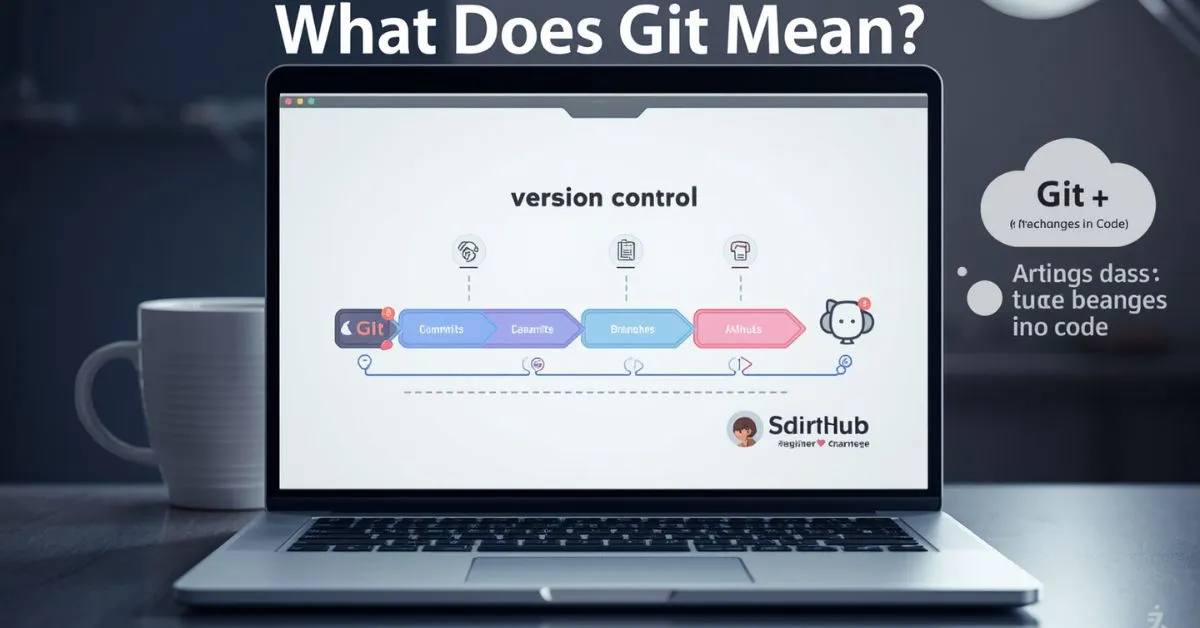
Git usually means a distributed version control system used to track changes in code and other files over time.
In simple terms, Git helps you save work in stages, see what changed, go back to earlier versions, and collaborate without constantly overwriting each other’s files.
Git’s official site describes it as a free, open-source distributed version control system, and GitHub’s docs explain that version control tracks project history as people work together.
If you saw the word Git in coding, GitHub, software development, or a terminal tutorial, this is almost certainly the meaning you need.
There is also a British slang meaning of git, but for this search, the software meaning is the main intent by far. Official Git and GitHub resources are centered on version control, project history, and collaboration.
Git in simple words
Git is a tool that keeps a history of your project. Instead of saving files with names like final, final-real, and final-final-2, Git lets you save clean checkpoints and review them later. That makes it easier to understand what changed, when it changed, and why it changed.
GitHub’s documentation explains version control in exactly that broader sense: it tracks changes so earlier versions can be recovered, compared, and reviewed.
A good beginner explanation is this:
- Git tracks changes
- Git saves project history
- Git helps people work together safely
- Git lets you roll back if something breaks
That is why Git matters. It is not just a “coding buzzword.” It is a practical system for managing change. Git’s official docs describe it as fast, scalable, and distributed, with tools for both everyday use and deeper control when needed.
What Git actually does
At a practical level, Git helps you:
- record snapshots of your project
- compare old and new versions
- experiment without losing your main work
- create branches for separate changes
- merge finished work back together
- collaborate with teammates more safely
GitHub’s docs and beginner guide both emphasize these same ideas: history, recovery, collaboration, and safer workflows.
This is why developers use Git even when they are working alone. It protects progress, makes mistakes easier to undo, and keeps projects organized.
And when teams are involved, Git becomes even more useful because everyone can work on the same project with a clear history of changes.
Why Git is called “distributed”
Git is a distributed version control system. That means each copy of a Git repository includes the project’s history, not just the latest file versions.
Git’s documentation contrasts this with older centralized models and explains that distributed systems let contributors keep a fuller local history.
For a beginner, the simplest takeaway is this: your local copy is more powerful than a plain folder on your computer. It can keep track of history, support branching, and let you work before you even sync with a hosting platform.
Does Git stand for anything?
No official full form exists. Git’s own README says the name was given by Linus Torvalds and includes several humorous explanations, including “global information tracker” when things are going well. Those are jokes, not an official acronym or formal expansion.
So if someone asks, “What does Git stand for?” the safest answer is:
Git does not officially stand for anything.
It is the name of the tool, and some famous “full forms” are playful backronyms rather than the real origin.
Git vs GitHub: the difference most beginners need to know
Git and GitHub are related, but they are not the same thing.
- Git is the version control system
- GitHub is a platform built around Git repositories and collaboration
GitHub’s own beginner material explains this directly: Git tracks changes locally, while GitHub helps you store repositories online and collaborate in the cloud.
A simple way to remember it:
| Term | What it is | Why it matters |
|---|---|---|
| Git | A version control system | Tracks changes and saves project history |
| GitHub | A hosting and collaboration platform | Lets people store, share, review, and manage Git repositories online |
| GitLab / Bitbucket | Other Git-based platforms | Similar idea: services built around Git workflows |
GitHub’s docs focus on GitHub, but the underlying version-control concept is Git itself. That is the key distinction beginners often miss.
git meaning
Git meaning can change based on the context. In technology, Git is a version control system that helps developers track changes in code, manage projects, and work with others. In casual English, “git” can also be a British informal word for an annoying or unpleasant person. The intended meaning usually depends on where you see the word. In software discussions, Git is usually the tool being discussed, while in British slang, it can describe someone in a negative but sometimes playful way.
Context and how people use it:
In tech, people use “Git” when talking about coding, repositories, branches, and version control.
In British English, “git” may describe someone who is irritating or difficult.
Example 1: “I use Git to track changes in my project.”
Example 2: “That old git forgot to call me back.”
git definition
The Git definition depends on the context in which the word appears. In computing, Git is a distributed version control system designed to record and manage changes in files, especially source code. It allows developers to create versions of a project and return to earlier work when needed. In British informal English, “git” is a mildly insulting term for a person who is considered unpleasant, foolish, or annoying. Knowing the surrounding words can help you understand which definition is intended.
Context and how people use it:
In programming, Git refers to a tool for managing changes and collaborating on software projects.
In casual British speech, “git” is used as an informal insult.
Example 1: “The team stores its code in a Git repository.”
Example 2: “You cheeky git, you knew about the surprise!”
meaning of git
The meaning of git is usually connected to either technology or British slang. In the technology world, Git is a system used to track changes in files and help developers manage different versions of their projects. It is widely used when several people work on the same codebase. In British English, “git” has a completely different meaning. It can refer to an annoying, unpleasant, or foolish person. The tone may be genuinely rude or joking, depending on the relationship between the speakers.
Context and how people use it:
Developers use “Git” when discussing software development and version control.
British speakers may use “git” as a teasing or mildly insulting word for someone.
Example 1: “Can you commit the latest changes to Git?”
Example 2: “That silly git took my seat.”
what is git
What is Git? In software development, Git is a version control system that records changes made to files over time. Developers use it to manage code, create branches, compare changes, and work safely with other people. A Git project can keep a history of previous versions, making it easier to understand or restore earlier work. However, “git” can also be a British slang word for an unpleasant or annoying person. The correct meaning is easy to identify when you look at the surrounding conversation.
Context and how people use it:
In coding, Git is used to manage project history and collaborate with other developers.
In British slang, “git” is commonly used for someone seen as annoying or unpleasant.
Example 1: “Our developers use Git for every new project.”
Example 2: “You stubborn git, listen for a minute!”
full meaning of git
The full meaning of Git is not normally an expanded phrase or acronym. In computing, Git is the name of a distributed version control system created to manage changes in files and source code. It helps users maintain a detailed project history and work on different versions of a project. The word “git” also has a British slang meaning, where it describes an unpleasant or annoying person. Therefore, there is no single full meaning that fits every situation. Context is important when interpreting the word.
Context and how people use it:
In technology, Git is the proper name of a version control tool rather than a standard acronym.
In British conversation, “git” can be an informal term for an irritating person.
Example 1: “Git keeps a history of our code changes.”
Example 2: “That miserable git left without saying goodbye.”
what does git mean
What does Git mean? In most technology-related conversations, Git refers to a version control system used to track changes and manage project files. It is especially common among software developers who need to organize code and collaborate with others. The word has another meaning in British informal English. There, “git” can be a mildly offensive word for a person who behaves badly or annoys someone. It can sometimes be used jokingly between friends, so the tone matters. Always consider the context before deciding what “git” means.
Context and how people use it:
In programming, “Git” usually means the version control system used to manage code and project history.
In British slang, “git” may be used as a playful or negative description of a person.
Example 1: “What does Git do in a software project?”
Example 2: “You lucky git! You won the last ticket.”
what is a git
What is a git? When written as “a git,” the phrase often refers to British informal slang rather than computer software. A “git” is generally an unpleasant, annoying, foolish, or difficult person. The word can sound insulting, but its strength depends on the situation and tone. Friends may use it playfully when teasing each other, while strangers could find it rude. In technology, people normally say “Git” without the article “a,” because Git is the name of the software tool.
Context and how people use it:
“A git” in British English usually describes a person who is annoying, unpleasant, or foolish.
The expression can be serious or playful depending on the speaker’s tone and relationship.
Example 1: “He can be a real git when he is in a bad mood.”
Example 2: “You cheeky git, you ate the last cookie!”
git means
Git means different things depending on how and where the word is used. In programming, Git means a system for tracking changes to files and managing versions of a project. It is commonly used by developers working on software and websites. In British informal English, “git” means an unpleasant, annoying, or foolish person. The slang meaning is often used in expressions such as “cheeky git” and can sometimes sound humorous rather than seriously offensive. Looking at the complete sentence makes the intended meaning much clearer.
Context and how people use it:
Developers use “Git” when discussing source code, repositories, branches, and project changes.
British speakers use “git” as an informal word for someone they find annoying or troublesome.
Example 1: “Git means version control in this programming guide.”
Example 2: “That cheeky git played a prank on me.”
meaning git
The meaning of Git can refer to a technology term or a British slang expression. In software development, Git is a version control system that helps people record, organize, and manage changes to project files. It is useful for keeping a history of work and coordinating changes between developers. In British English, “git” is an informal word for someone who is unpleasant, annoying, or foolish. Because these meanings are unrelated, the surrounding context is the best clue. A programming article will almost always mean the technology.
Context and how people use it:
In technology, Git is used to manage versions and changes within software projects.
In British slang, “git” can describe someone in an insulting or playful way.
Example 1: “I learned the meaning of Git while studying web development.”
Example 2: “That annoying git keeps interrupting everyone.”
what does git stand for
What does Git stand for? In modern software development, Git is generally not treated as a standard acronym with a full form. It is the name of a distributed version control system used to track changes in files and source code. You may sometimes find explanations about the origin of the name, but they should not be confused with an official expanded form. Outside technology, “git” is also a British slang term for an unpleasant or annoying person. So, the correct answer depends on whether the question is about software or slang.
Context and how people use it:
In programming, Git is the name of a version control system, not normally an acronym that users expand into separate words.
In British English, “git” is a slang term used to describe an irritating or unpleasant person.
Example 1: “What does Git stand for in this programming course?”
Example 2: “You old git, you nearly scared me!”
Basic Git terms beginners should know
You do not need to master Git all at once, but a few terms make the meaning much clearer.
Repository
A repository (or repo) is the project folder Git tracks. It contains your files and the Git history connected to them. GitHub docs refer to repositories as the place where project files and their history live.
Commit
A commit is a saved checkpoint in your project history. When you commit, you store a set of changes along with a message describing what changed. GitHub’s beginner materials repeatedly frame commits as the units of saved change in a Git workflow.
Branch
A branch is a separate line of work. It lets you test or build something without disturbing the main version of the project. Git’s official book highlights branching as one of the system’s core strengths.
Merge
A merge combines work from one branch into another. This is how separate pieces of work come back together after testing or review. GitHub’s docs include merging and conflict-resolution topics as standard parts of using Git.
Clone
A clone is a local copy of an existing repository. If you want a project from GitHub on your computer, you typically clone it first. GitHub’s Git basics materials are built around using Git locally with repositories you manage from your machine.
Push and pull
- Push sends your local commits to a remote repository
- Pull brings changes from the remote repository down to your local copy
GitHub’s “Using Git” section explicitly covers pushing commits and getting changes from a remote repository.
Staging area
The staging area is where you choose which changes should go into the next commit. Git’s documentation explains the basic workflow through states like modified, staged, and committed.
A very simple Git workflow example
Here is the kind of workflow a beginner might actually use:
- You edit a webpage file.
- Git notices the file changed.
- You stage the change.
- You commit it with a message like “Improve homepage headline.”
- You push the commit to GitHub.
- A teammate reviews it.
- The change is merged into the main branch.
That is the real value behind the definition. Git is not just a word that means “version control.” It is a working system for organizing change from first draft to final result. GitHub’s learning materials and Git docs both frame Git in terms of real workflows, not just abstract definitions.
When people usually start using Git
Most people first run into Git when they:
- begin learning programming
- start using GitHub
- join a software team
- need to collaborate on the same codebase
- want a cleaner way to manage project history
That is why “what does Git mean” is usually not just a dictionary question. It is often a beginner trying to understand a tool they suddenly see everywhere in programming tutorials, repositories, job descriptions, and developer workflows. GitHub’s beginner content is aimed directly at that stage of learning.
Common mistakes people make about Git
Mistake 1: Thinking Git is the same as GitHub
It is not. Git is the tool; GitHub is one platform that uses Git.
Mistake 2: Thinking Git is only for teams
Teams benefit a lot from Git, but solo developers use it too because version history and rollback are useful even when you work alone. Version control itself is about tracking changes over time, not only group collaboration.
Mistake 3: Thinking Git only matters for code
Git is most closely associated with source code, but version control can be used with many kinds of files. Git’s official book says that although the examples use software source code, version control can apply to nearly any type of file on a computer.
Mistake 4: Thinking Git has an official full form
It does not. The famous expansions are jokes from the project’s own materials, not a formal acronym.
What Most Articles Miss About This Topic
Most articles stop at “Git is a distributed version control system” and assume that is enough. It is accurate, but it is not enough for a beginner.
What readers usually need is a clearer chain:
- what Git means
- what it does
- why developers use it
- whether it stands for anything
- how it differs from GitHub
- what the basic terms mean
Another thing many articles handle poorly is the name itself. Some pages present “global information tracker” as if it were the real full form. Git’s own README makes clear that the project has humorous explanations for the name, not an official acronym.
And finally, many pages either ignore the slang meaning completely or give it too much weight. The better approach is simpler: lead with the software meaning because that is the dominant intent here, then briefly clarify the other meaning so readers are not left wondering.
Official Git and GitHub pages make the software meaning the clear center of gravity, while dictionary pages cover the slang meaning separately.
The other meaning of “git”
Outside software, git can also be a British slang term for a foolish or unpleasant person. Merriam-Webster defines it as “a foolish or worthless person.” In conversation, it can sound playful, mildly insulting, or genuinely rude depending on tone and context.
Examples:
- “Don’t be such a silly git.”
- “That git nearly knocked my coffee over.”
This meaning matters for completeness, but for most users searching this keyword in a tech context, it is secondary to the software definition.
FAQs
Q: What does Git mean in GitHub
A: Git is a version control system used to track and manage changes in code and files.
Q: What does git mean slang
A: In British slang, “git” is an insulting word for an unpleasant or annoying person.
Q: What does git mean in Harry Potter
A: In Harry Potter, “git” is used as a mild insult meaning an annoying, foolish, or unpleasant person.
Q: What does git mean in coding
A: In coding, Git is a distributed version control system that helps developers manage and track code changes.
Q: What does git mean in english
A: In English, “git” can mean a foolish or unpleasant person, especially in British informal speech.
Q: What does git mean in medical terms
A: In medical terms, GIT commonly stands for the gastrointestinal tract, which includes the digestive system.
Q: What does git mean in anatomy
A: In anatomy, GIT usually means gastrointestinal tract, the body system responsible for digestion.
Q: What does git mean urban dictionary
A: On Urban Dictionary, “git” is commonly described as British slang for an annoying, foolish, or unpleasant person.
Conclusion
If you are asking what does Git mean, the main answer is this: Git is a distributed version control system that helps track changes, save project history, and support collaboration.
It does not officially stand for anything, it is not the same as GitHub, and in British slang the lowercase word git can also mean a foolish or unpleasant person. Once you separate those meanings, the term becomes much easier to understand and use correctly.
Click Below To Read About:
What Does Axis Mean on an Eye Prescription? A Clear, Simple Guide
What Does LFG Mean? Text, Gaming, Social Media, and Discord Explained

Hi, I’m Evan Lexor, the voice behind Meanvia.com. I break down English words, slang, and phrases into clear, simple meanings that actually make sense. From modern internet terms to everyday expressions, my goal is straightforward: help you understand English better, faster, and with confidence, one word at a time.



